No-Code AI For Small Biz
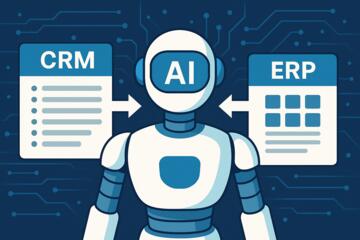
No-code AI platforms let a business connect data sources, define workflows, and generate text or classifications using prebuilt interfaces instead of custom software. A typical setup links a form or help-desk inbox to an AI step that drafts replies, tags requests, or extracts fields into a spreadsheet. For example, a local service company can route incoming “refund request” emails into a workflow that summarizes the message, pulls the order number from the text, and suggests a response template. The business still controls the rules around routing, approval, and escalation, because the AI output rarely matches policy and tone requirements on its own.
These platforms usually combine three layers: an interface for building workflows, an AI model provider behind the scenes, and connectors for data movement. The connectors can include email, ticketing systems, cloud storage, and spreadsheets; some also support webhooks for custom triggers. A small team often starts with low-risk tasks like summarizing long messages, extracting structured fields, or generating first drafts for human review. When you treat the AI as a drafting and classification tool rather than a final decision-maker, you reduce the chance of sending incorrect information to customers.
Common Pain Points And Misreads
Many teams start with a vague goal like “use AI to save time,” then discover that time savings depend on review steps, not just generation speed. If a workflow produces drafts that require heavy editing, the net workload can rise. Another frequent misread involves data quality: AI classification accuracy drops when inputs are inconsistent, short, or missing context. A ticket titled “Issue” with no description often yields weak tags, even if the platform looks confident.
Dependencies also get overlooked. No-code AI tools rely on connectors that may not capture the full message history, attachments, or metadata. Email connectors can exclude quoted threads, and some ticket systems hide custom fields behind permissions. Model behavior depends on the prompt template, the system instructions, and any retrieval step that pulls documents from a knowledge base. If the knowledge base uses outdated policies, the AI will draft responses that sound plausible but conflict with current rules.
Cost surprises show up when usage is measured by tokens or by the number of AI calls per workflow run. A workflow that summarizes every email thread and then re-summarizes for each follow-up can multiply calls. Some platforms also charge for knowledge base indexing or for higher-tier model access, and those charges can scale with document size. A small business can avoid this by counting how many AI steps run per ticket and by testing with realistic samples before turning on production routing.
Finally, privacy and compliance risks appear when teams connect customer data without a clear retention plan. Many platforms store prompts and outputs for debugging or abuse monitoring, though retention policies vary by vendor and plan. If you operate under regulations like the EU General Data Protection Regulation (GDPR) or the California Consumer Privacy Act (CCPA/CPRA), you still need a lawful basis, data minimization, and a way to honor deletion or access requests. The platform’s UI may not show all processing details, so you need to read the data processing terms and security documentation.
How To Choose And Set Up
Start With A Narrow Workflow
Pick one workflow with a clear input and a measurable output, such as “summarize incoming support emails into 3 bullet points” or “extract order number and product name.” Define what counts as a good result before you test the AI, then collect 30–100 real examples from the last 60–90 days. Run the workflow in a sandbox or test mode, then score outputs for accuracy and policy compliance. In many teams, the first win comes from drafting or extraction tasks that a human can verify quickly, which keeps error impact low.
When you design the workflow, separate steps that should be deterministic from steps that can be probabilistic. For instance, routing based on keywords can happen before the AI step, while the AI step handles summarization. This reduces the number of AI calls and makes behavior easier to audit. I’ve seen teams get stuck because they ask the AI to do routing and drafting in one step; splitting the work makes debugging less painful, even when the platform offers a single “AI agent” block.
Control Prompts And Knowledge
No-code platforms often include prompt templates, system instructions, and optional retrieval from a knowledge base. Treat these as versioned assets. Save prompt versions with a change log, then test each revision against the same evaluation set. A small aside: some tools label prompt revisions with internal IDs, and you can lose track of which one is active after a few edits—so record it in your workflow documentation.
If you use retrieval, confirm what documents are indexed, how often indexing runs, and whether the tool returns citations or excerpts. Retrieval quality depends on chunking strategy and metadata filters; if the knowledge base mixes old and new policy documents, the AI can pull the wrong one. For policy-heavy domains, store the latest policy documents and mark superseded files as inactive. Also check whether the platform strips or masks sensitive fields before sending them to the model.
Measure Quality With Simple Tests
Use a small rubric that matches your business risk. For example, for ticket summarization, score “correct key facts,” “missing required details,” and “hallucinated details.” For classification, score “correct category” and “wrong category with high confidence.” You can run a weekly review of 20–50 outputs and track error types rather than only overall pass/fail. This approach catches drift when your product catalog or customer language changes.
Set a human approval threshold. Many teams start with “AI drafts, human approves,” then gradually reduce review for low-risk categories. A realistic target for early pilots is not “100% correct,” but “fewer escalations and faster first responses” while keeping error rates within a tolerable band. If you cannot define a tolerable band, you cannot manage risk, and the workflow will stall.
Plan Costs And Permissions
Before production, estimate usage by counting AI steps per workflow run and sampling typical input sizes. Token-based pricing can vary by model tier, so you need to test with real text lengths. Track costs per 100 tickets or per 1,000 documents, then compare against labor costs for the same tasks. Some platforms show usage dashboards, but you should also export logs for internal review because dashboards can lag.
Permissions matter as much as cost. Ensure the connector account has the minimum access needed: read-only for knowledge bases, limited scopes for ticket systems, and restricted access to customer data. Review retention settings in the platform’s admin panel and in the vendor’s data processing addendum. If you operate in the EU or handle regulated data, confirm whether the vendor supports data residency, subprocessor lists, and standard contractual clauses where applicable.
Educational Case Examples
Salon Scheduling Triage
A small salon used a no-code workflow to triage appointment requests from a web form. The AI step extracted requested service, preferred date, and customer name from free-text messages, then generated a draft confirmation email. The team tested 60 past messages and found extraction errors clustered around ambiguous service names (e.g., “hair treatment” without details). They fixed this by adding a short follow-up question template when the extracted service confidence was low. After two weeks, the salon reduced manual back-and-forth messages, but they still required human review for pricing questions.
Retail Returns Policy Drafts
A regional retailer built a workflow that summarized return emails and drafted a response referencing the returns policy stored in a knowledge base. The first pilot produced confident drafts that cited an older policy version, because the knowledge base still contained superseded documents. The team corrected the index by disabling old files and adding a “policy effective date” metadata field. They also added a rule: if the AI summary mentions a policy term not found in the active policy, the workflow routes to a human. The retailer measured outcomes by tracking how often customers replied with “that’s not our policy,” which dropped after the knowledge base fix.
Comparison Checklist For Buyers
| Decision Area | What To Verify | Why It Matters | Pass/Fail Signal |
|---|---|---|---|
| Data Handling | Retention policy, prompt/output logging, deletion support, subprocessor list | Controls privacy risk under GDPR/CCPA/CPRA | Vendor provides clear terms and admin settings |
| Workflow Auditability | Run logs, prompt versioning, trace of retrieved documents | Helps debug wrong outputs | You can reproduce a past run |
| Model and Limits | Which model tiers, context limits, rate limits, tool calling behavior | Prevents truncation and inconsistent results | Tests show stable outputs on your sample set |
| Cost Visibility | Usage dashboard, per-step pricing, exportable billing logs | Avoids token-cost surprises | You can estimate cost per 100 workflows |
| Human Review Controls | Approval gates, confidence thresholds, escalation rules | Limits harm from wrong AI output | Low-confidence cases route to humans |
Step-by-step checklist for a pilot: collect 60–100 examples, define a rubric, build the narrow workflow, test in a sandbox, measure error types, add routing and approval gates, then run for 2–4 weeks with weekly review. If you cannot reproduce a past run from logs, you cannot manage quality over time, and the pilot becomes guesswork.
Common Mistakes To Avoid
One mistake involves treating AI output as final customer communication. Even when the text looks polished, it can omit required disclosures or misstate policy terms. A second mistake is mixing customer data with internal documents that contain sensitive information without a clear need. If the workflow only needs policy excerpts, restrict retrieval to those documents rather than indexing entire drives.
Teams also over-trust “confidence” indicators. Some platforms show confidence-like signals, but those signals may not correlate with factual correctness. A safer approach uses human review for categories with known ambiguity and uses automated checks for format requirements, like “must include order number” or “must not mention refund eligibility if policy says otherwise.”
Another recurring issue is prompt drift. People edit templates during troubleshooting and forget to revert. A mild frustration: the UI often makes it easy to change a prompt, but it rarely forces you to document why. Version prompts, store evaluation results, and keep a short record of changes like “prompt v3.2 added policy effective date rule” (I’ve seen teams lose this context after a few weeks).
Finally, teams skip connector testing. Attachments, quoted email threads, and HTML formatting can change the text the AI sees. Run tests that include the worst-case inputs you actually receive, not only clean samples. If your help desk includes signatures, disclaimers, and long legal text, the AI may summarize the wrong portion unless you add preprocessing steps.
FAQ
What tasks fit no-code AI?
Summarizing customer messages, extracting structured fields (order number, dates), drafting first responses, and classifying tickets into categories work well when a human reviews outputs and when you define a rubric for accuracy.
How do I reduce privacy risk?
Use data minimization in connectors, restrict knowledge base retrieval to policy documents, review the vendor’s retention and logging terms, and set an approval gate so customer-facing messages never rely on unverified AI output.
Do no-code platforms require coding?
Most workflows can be built with visual tools, but you may still need light technical work for webhooks, authentication, and data cleaning. Plan for at least a small amount of admin time even if you avoid custom code.
How can I measure AI quality?
Score outputs on a small evaluation set using categories like factual accuracy, missing required fields, and policy compliance. Track error types weekly and compare outcomes like time-to-first-response and escalation rate.
What costs should I expect?
Costs often depend on model tier and the number of AI calls per workflow run, sometimes measured in tokens. Estimate cost per 100 workflows using sample inputs, then watch usage dashboards and export billing logs for verification.
Author's Insight
No-code AI platforms work best when the business treats AI as a drafting and extraction layer inside a controlled workflow. The biggest reliability gains come from separating deterministic routing from probabilistic generation, versioning prompts, and restricting retrieval to current policy documents. Cost control depends on counting how many AI steps run per case and testing with realistic input sizes. Privacy risk management depends on connector permissions and the vendor’s retention and logging terms, which vary by plan and contract. A careful pilot with a rubric and weekly review usually reveals the real bottleneck: review workload, not model speed.
Key Takeaways
- Choose one narrow workflow with measurable outputs, then test on 60–100 real examples before production routing.
- Version prompts and knowledge base content, and keep retrieval restricted to current documents to avoid policy drift.
- Use human approval gates for customer-facing messages and route low-confidence or policy-sensitive cases to review.
- Estimate costs per workflow run by counting AI steps and testing with realistic input lengths, then monitor usage logs.
- Verify privacy terms, retention, and connector permissions so the platform’s data handling matches your obligations under applicable laws.