Introduction: Why Automating KPI Reports and Dashboards Matters
In fast-paced organizations, performance data must travel faster than ever. But manual KPI reporting often slows teams down, causing delays, inconsistencies, and poor decision-making. This is why automating KPI reports and dashboards has become one of the most valuable modern business practices.
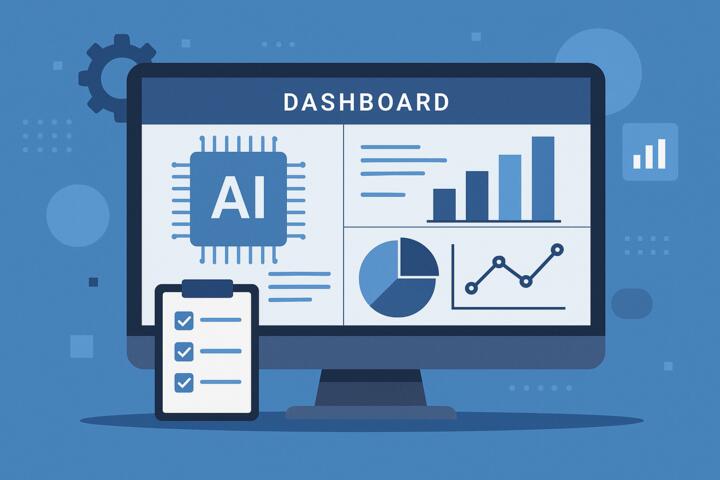
Automated reporting ensures that leaders have real-time visibility into metrics that matter — sales performance, marketing ROI, operational efficiency, financial health, churn, workload, and more. According to a 2024 Gartner report, companies using automated analytics frameworks reduce reporting time by up to 80%, while improving accuracy and stakeholder trust.
This guide explains how automation works, which tools to use, how to implement it, and how to avoid common pitfalls — with real-world examples and actionable steps.
What Does It Mean to Automate KPI Reports and Dashboards?
Automating KPI reporting means using software to collect, process, visualize, and distribute performance data with minimal human involvement.
Core Components of Automated KPI Reporting
-
Data collection: Pulling information from multiple systems (CRM, ERP, marketing tools).
-
Data transformation: Cleaning, merging, and calculating KPI metrics.
-
Visualization: Creating dashboards with charts, trends, and alerts.
-
Automation: Scheduling updates and sending reports automatically.
Instead of compiling spreadsheets manually, automation tools update dashboards in real time and notify stakeholders when something changes — all without human input.
Why Automation Is Crucial for Modern Businesses
1. Eliminates Manual Errors
Human error is one of the biggest risks in reporting. Automation removes inconsistencies caused by copy-paste mistakes, outdated spreadsheets, or incorrect formulas.
2. Saves Time
Research from Harvard Business Review shows that analysts spend up to 60% of their time preparing data rather than analyzing it. Automation flips that dynamic.
3. Improves Decision-Making
Real-time dashboards allow leaders to react to changes immediately — whether it's a sudden drop in sales or rising customer acquisition costs.
4. Aligns Teams
Automated dashboards give all departments access to the same source of truth, reducing confusion and miscommunication.
5. Enables Forecasting
Modern BI tools include predictive models powered by AI — essential for proactive planning.
Best Tools for Automating KPI Reports and Dashboards
Below are some of the most powerful platforms used by organizations worldwide.
1. Power BI (Microsoft)
-
Real-time dashboard updates
-
Integration with Excel, SQL, Google Analytics
-
Automated refresh schedules
Used by Hilton, Adobe, and Unilever
2. Google Looker (Looker Studio)
-
Cloud-based and extremely flexible
-
Easy sharing and permission controls
-
Strong for marketing & digital analytics
Used by Spotify, Rakuten, Airbnb
3. Tableau
-
Advanced visualizations
-
Strong enterprise automation features
-
Drag-and-drop analysis for non-technical users
Used by Wells Fargo, Nike, LinkedIn
4. Databox
-
KPI templates
-
Mobile dashboards
-
Automated alerts and goal tracking
Popular among startups and agencies
5. Klipfolio
-
Custom metrics
-
Real-time API connections
-
Suitable for finance, HR, and ops teams
Bonus Tools
-
Zapier / Make: Automate data movement between apps
-
Python (pandas, Airflow): Advanced custom automation
-
Notion AI & Coda: Internal knowledge hubs with KPI widgets
How to Automate KPI Reports and Dashboards: Step-by-Step Guide
Step 1: Define Your KPIs Clearly
You can’t automate what you haven’t standardized.
Your KPIs must be:
-
Measurable
-
Time-bound
-
Relevant
-
Directly connected to business goals
Examples:
-
Monthly Recurring Revenue (MRR)
-
Customer Lifetime Value (CLTV)
-
Sales Conversion Rate
-
Production Cycle Time
-
Employee Productivity Index
Step 2: Map Your Data Sources
Identify where each KPI comes from:
-
CRM (Salesforce, HubSpot)
-
Analytics platforms (GA4, Mixpanel)
-
Finance (QuickBooks, Xero)
-
HR (BambooHR, Workday)
-
Operations (SAP, Oracle NetSuite)
Create a data flow diagram to visualize how information moves.
Step 3: Clean and Standardize Your Data
Dirty data leads to unreliable dashboards.
Standardize:
-
Date formats
-
Currency formats
-
Naming conventions
-
Duplicate handling
Tools like Alteryx, Pentaho, or Power Query simplify this step.
Step 4: Select Automation Tools
Choose based on:
-
Team skill level
-
Budget
-
Data complexity
-
Required integrations
For example:
-
Power BI → best for internal corporate dashboards
-
Looker Studio → best for marketing teams
-
Tableau → best for enterprise analytics
Step 5: Build Your Dashboard
A strong dashboard includes:
-
Trend lines
-
Comparisons (MoM, YoY)
-
Threshold indicators
-
Color-coded status alerts
-
Clear segmentation (region, product, team)
Limit each dashboard to 6–10 KPIs to avoid clutter.
Step 6: Automate Refresh and Delivery
Set up:
-
Scheduled refresh (hourly, daily, weekly)
-
Email or Slack reports
-
Automated anomaly alerts
-
Mobile accessibility
Example:
Power BI + Microsoft Teams can push daily summaries automatically at 9 AM.
Step 7: Validate and Review
Before launching:
-
Compare automated results with manual reports
-
Check calculations
-
Test filters and date ranges
-
Validate access permissions
Real-World Examples of KPI Automation
1. Hilton Hotels
Hilton automated its financial dashboards using Tableau, reducing reporting time from 5 days to 30 minutes.
They also implemented predictive analytics for occupancy forecasting, improving labor planning accuracy.
2. Rakuten
Rakuten uses Looker to centralize marketing KPIs across 30+ teams, improving campaign ROI by 25% due to real-time insights.
3. Coursera
Coursera uses Power BI dashboards to track course enrollments, session data, and student engagement. Automation reduced analyst workload by 40%.
Common Mistakes When Automating KPI Reports
-
Automating Bad Data
If your inputs are wrong, automation amplifies the problem. -
Tracking Too Many KPIs
This creates noise, not insight. Focus on leading indicators, not vanity metrics. -
Lack of Documentation
Without definitions, dashboards become confusing for stakeholders. -
Ignoring User Accessibility
Dashboards must be mobile-friendly and easy to interpret. -
Not Involving End Users
Executives, managers, and analysts should participate in dashboard design.
What to Look for in KPI Automation Tools
1. Integrations
Does it connect to your existing systems?
2. Real-Time Refresh
Can it update data instantly when needed?
3. User-Friendly Interface
Non-technical teams should easily understand charts and filters.
4. Scalability
Will it support company growth?
5. Security & Compliance
Important if working with sensitive HR or financial data.
Tips to Build High-Impact Automated Dashboards
-
Use color coding for fast interpretation.
-
Include benchmarking against targets.
-
Add explanatory notes for new users.
-
Use AI-powered anomaly detection for proactive alerts.
-
Create different dashboards for different departments.
Author’s Insight
When working with a mid-sized fintech company, I helped automate their monthly KPI reporting using Power BI and Azure SQL. Previously, analysts spent nearly 25 hours a month manually preparing reports across sales, operations, and client support.
Once automation was in place:
-
Monthly reports generated themselves in under three minutes.
-
Leadership received real-time anomaly alerts.
-
Data accuracy improved dramatically due to standardized pipelines.
-
Analysts gained time to focus on strategic analysis instead of spreadsheets.
The biggest improvement wasn’t speed — it was clarity. For the first time, every department shared the same single source of truth.
Conclusion: Automation Is the Future of Performance Tracking
Automating KPI reports and dashboards transforms how organizations track performance, make decisions, and stay competitive. By eliminating manual work, reducing errors, and providing real-time insights, automation empowers businesses to operate smarter and faster.
Whether you're using Power BI, Tableau, Looker, or AI-powered analytics, the journey starts with clean data, thoughtful KPI selection, and strong cross-functional collaboration.
Automated KPI reporting is not just a convenience — it’s a strategic advantage.