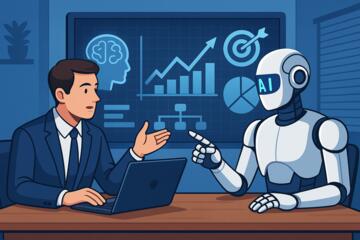
Introduction: How AI Is Redefining Team Productivity
The way teams work has changed forever. From remote collaboration to data-driven decision-making, artificial intelligence (AI) is now at the heart of every high-performing organization.
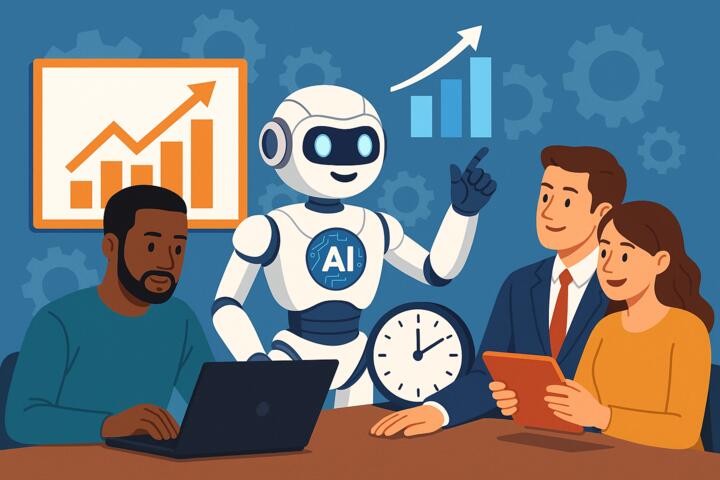
Boosting team productivity with AI tools isn’t just about automation — it’s about enabling smarter workflows, enhancing creativity, and freeing employees from repetitive tasks.
According to McKinsey’s 2024 Future of Work Report, teams that adopt AI productivity tools experience a 35–45% improvement in efficiency and project turnaround times. Whether you’re managing marketing, development, or HR, integrating AI can help your team achieve more with less effort.
What Are AI Productivity Tools?
AI productivity tools are applications that use machine learning, natural language processing (NLP), and automation to improve efficiency and decision-making in team environments.
They can write reports, summarize meetings, manage schedules, analyze performance data, and even predict project outcomes — all in real time.
Common Types of AI Productivity Tools:
-
Task automation platforms (e.g., Zapier, Make, n8n).
-
Collaboration assistants (e.g., Slack GPT, Microsoft Copilot).
-
Project management tools (e.g., ClickUp, Notion AI, Monday.com).
-
AI writing and ideation tools (e.g., Jasper, ChatGPT, Grammarly Business).
-
Data and analytics tools (e.g., Power BI, Tableau AI, Google Looker).
These tools remove friction from workflows, helping teams spend less time managing tasks and more time delivering value.
Why AI Is Essential for Team Productivity
Artificial intelligence doesn’t replace human collaboration — it amplifies it. By analyzing data, automating tasks, and simplifying decision-making, AI helps teams focus on high-impact work.
Here are key reasons why businesses across industries are investing heavily in AI-powered productivity:
1. Time Savings
AI tools can automate repetitive tasks like data entry, scheduling, or report generation.
Example: Asana’s AI Work Graph automatically prioritizes tasks and flags delays, saving project managers hours weekly.
2. Smarter Decision-Making
AI provides actionable insights based on data, improving accuracy and reducing bias in decisions.
Example: HubSpot’s AI forecasting predicts customer trends, enabling marketing teams to plan campaigns more effectively.
3. Enhanced Communication
AI chatbots and meeting assistants summarize conversations, assign action items, and send follow-ups automatically.
Example: Otter.ai generates meeting summaries in seconds, improving post-meeting accountability.
4. Personalized Productivity
AI learns from individual and team behavior to offer tailored recommendations — when to focus, when to rest, and how to prioritize.
Example: Google Workspace’s Smart Canvas integrates AI suggestions directly into documents and emails.
5. Reduced Burnout
By offloading administrative tasks, AI helps employees focus on creative and strategic work, improving engagement and well-being.
Top AI Tools to Boost Team Productivity in 2025
Here’s a curated list of tools that can transform your workplace productivity:
| Tool | Best For | Key Features | Used By |
|---|---|---|---|
| Slack GPT | Team communication | Summarizes threads, answers questions, integrates workflows | HubSpot, Shopify |
| Notion AI | Knowledge management | Summarization, idea generation, task creation | Figma, Duolingo |
| ClickUp AI | Project management | Custom AI writing, meeting summaries, automation | Netflix, IBM |
| Grammarly Business | Writing & communication | Tone consistency, AI rephrasing, clarity checks | Zoom, Atlassian |
| Otter.ai | Meeting productivity | Transcription, note-taking, collaboration highlights | Deloitte, Coursera |
| Zapier | Workflow automation | Connects 5,000+ apps, no-code automation | Rakuten, Canva |
How to Integrate AI Tools into Team Workflows
Adopting AI tools is not just a technical decision — it’s a cultural one. To truly boost team productivity with AI, leaders must ensure the integration aligns with team goals and processes.
Step 1: Identify Repetitive and Time-Consuming Tasks
Ask:
-
What tasks take up most of your team’s time?
-
Which could be automated without losing quality?
Example: Automate routine reporting and notifications through Zapier or ClickUp Automations.
Step 2: Choose the Right AI Tools
Select solutions that fit your workflow. Prioritize:
-
Ease of use: Intuitive interfaces and quick onboarding.
-
Integration: Seamless connection with tools you already use (Slack, Google Drive, Jira).
-
Security: Look for compliance with GDPR and SOC 2.
Example: If your team works remotely, use Slack GPT + Otter.ai for instant communication and meeting intelligence.
Step 3: Provide Training and Onboarding
AI tools are only as powerful as the people using them.
Offer guided workshops or internal “AI champion” programs to teach best practices.
Example: Coursera for Business offers short AI literacy courses to help employees maximize technology adoption.
Step 4: Monitor Impact with Metrics
Measure outcomes such as:
-
Time saved on administrative tasks.
-
Project completion rates.
-
Employee satisfaction.
-
ROI of tool adoption.
Platforms like Power BI or Google Looker Studio can visualize these metrics easily.
Step 5: Foster a Culture of Continuous Learning
Encourage experimentation with AI tools and reward innovation. The most productive teams iterate constantly.
Example: Salesforce launched “Einstein Hour,” a company-wide initiative encouraging employees to explore new AI features weekly.
Common Mistakes When Adopting AI Productivity Tools
-
Implementing Too Many Tools at Once
Too much software can create confusion. Start small with one or two key systems. -
Ignoring Change Management
Employees may resist new technology. Communicate the “why” clearly and provide training. -
Neglecting Data Privacy
Always review vendor compliance and ensure sensitive data isn’t used to train external models. -
Failing to Track ROI
Without measurable goals, it’s hard to justify investment. Use before-and-after productivity metrics. -
Assuming AI Replaces Human Judgment
AI should complement human skills — not replace creativity, empathy, or leadership.
How AI Enhances Collaboration and Creativity
AI doesn’t just make work faster; it also makes it smarter and more creative.
1. Streamlined Communication
AI-powered platforms centralize updates, deadlines, and documents, reducing “communication fatigue.”
Example: Microsoft 365 Copilot integrates data from Outlook, Teams, and Word, giving everyone the same context instantly.
2. Idea Generation
Tools like ChatGPT, Notion AI, or Jasper can brainstorm marketing ideas, draft proposals, or suggest process improvements.
3. Real-Time Collaboration Insights
AI can analyze meeting transcripts and identify recurring blockers or inefficiencies, helping leaders take proactive action.
4. Emotional Intelligence in Communication
Advanced NLP tools detect tone and sentiment, ensuring messages are appropriate for every context — especially important in remote teams.
Case Study: AI-Driven Productivity at Hilton
Hilton Hotels implemented AI-powered tools to optimize employee communication and task management across global teams.
-
AI chatbots handle 60% of HR inquiries.
-
Smart scheduling tools reduced administrative work by 25%.
-
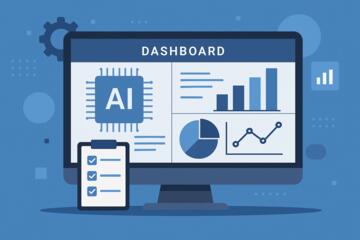
Data-driven dashboards improved project visibility across departments.
As a result, the company reported a 40% increase in team efficiency and higher employee satisfaction — proving how strategic AI adoption can transform operations.
Author’s Insight
When I introduced AI productivity tools to a mid-sized marketing agency, the results were remarkable.
Initially, the team was overwhelmed by emails and status meetings. After integrating Slack GPT for communication summaries and ClickUp AI for task management, the team saved nearly 10 hours per week per person.
The most interesting part? Creativity didn’t decline — it soared. Freed from admin work, employees had time to brainstorm and experiment.
My advice: Start small, measure impact, and let your team discover the value of AI through real results.
Conclusion: The Future of Productivity Is AI-Enhanced
Boosting team productivity with AI tools is no longer optional — it’s the competitive edge of modern workplaces.
By automating routine tasks, personalizing workflows, and enabling smarter collaboration, AI allows teams to focus on what truly matters: creativity, innovation, and growth.
Start small, choose the right tools, and watch how artificial intelligence transforms not just your efficiency — but your entire work culture.
The smartest teams aren’t just working harder. They’re working with AI.