Introduction: Why Connect ChatGPT to Your Work Apps
Artificial intelligence is transforming daily work at a rapid pace. But the real power of AI unfolds when it is integrated directly into the tools you already use. This is why connecting ChatGPT to your work apps has become a core workflow strategy for modern teams.
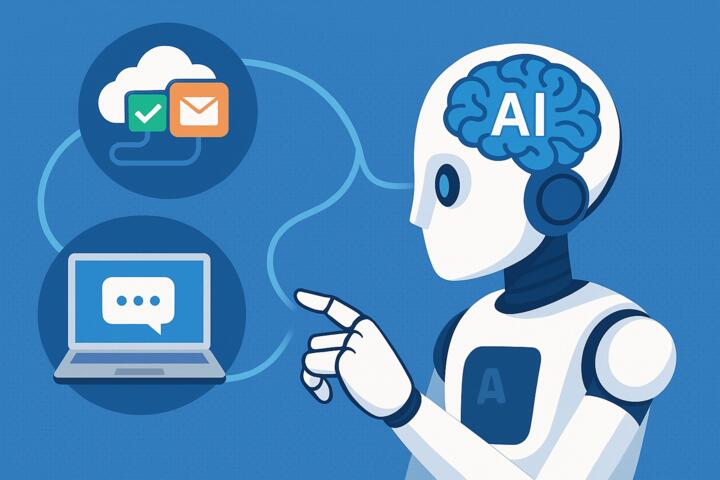
From automating customer support messages to summarizing meeting notes, generating reports, updating databases, and syncing tasks across platforms — ChatGPT can become the central intelligence layer for your business operations.
According to Harvard Business Review, employees lose up to 30% of their week switching between apps. Integrations eliminate context-switching and allow ChatGPT to take over routine tasks so teams can focus on high-level work.
This guide provides a detailed, actionable roadmap for integrating ChatGPT with your workplace tools using APIs, built-in connectors, Zapier-style automations, and enterprise features.
What You Can Automate by Connecting ChatGPT to Work Apps
Before diving into setup, here are the most common tasks you can automate:
Communication
-
Draft emails
-
Summarize Slack or Teams threads
-
Generate announcements
-
Translate company messages
Project Management
-
Create tasks automatically
-
Summarize meetings
-
Update project notes
-
Schedule reminders
Customer Support
-
Auto-generate responses
-
Classify tickets
-
Draft knowledge-base articles
Sales & CRM
-
Write follow-ups
-
Update CRM fields
-
Summarize client profiles
-
Score leads
HR & Operations
-
Automate onboarding
-
Analyze employee surveys
-
Draft policies and docs
ChatGPT becomes the connective tissue across departments.
Step-by-Step Guide: How to Connect ChatGPT to Your Work Apps
Below is the simplified, practical workflow for businesses of all sizes.
Step 1: Choose Your Integration Method
There are three main ways to integrate ChatGPT with work apps:
1. Native Integrations
Some tools offer built-in ChatGPT or AI-powered features:
-
Microsoft 365 Copilot
-
Slack GPT
-
Notion AI
-
HubSpot AI Assistants
These require little setup and are perfect for beginners.
2. Zapier / Make / n8n Automations
No-code tools let you connect ChatGPT with:
-
Email apps
-
Google Sheets
-
CRMs
-
Project tools
-
HR systems
-
Social media
Example automation:
When a form is submitted → ChatGPT drafts a message → Add to Slack → Add row in Google Sheets.
3. API Integrations (Developer-Friendly)
Use the OpenAI API to build:
-
Custom apps
-
Internal dashboards
-
Automated agents
-
Backend workflows
This method is best for companies with a technical team.
Step 2: Connect ChatGPT to Communication Tools
Slack
Slack GPT integrates conversational AI into daily communication.
What ChatGPT can do in Slack:
-
Summarize channels
-
Generate replies
-
Draft documents
-
Analyze customer feedback
-
Create tasks in ClickUp, Jira, Asana
How to connect:
-
Open Slack App Marketplace
-
Search “OpenAI” or “Slack GPT”
-
Add the integration to your workspace
-
Grant permissions
-
Start using
/askcommands
Microsoft Teams
Teams integrates AI through Copilot for Microsoft 365.
Capabilities:
-
Summarize meetings
-
Draft follow-up emails
-
Create tasks in Planner
-
Extract insights from conversations
Email (Gmail & Outlook)
Using Zapier or Make:
Examples:
-
Draft responses to incoming emails
-
Categorize customer messages
-
Create CRM entries automatically
Step 3: Integrate ChatGPT with Knowledge & Documentation Apps
Notion
Notion AI + ChatGPT is a powerful combination.
Use cases:
-
Auto-write meeting minutes
-
Convert raw notes into documentation
-
Generate SOPs and training materials
-
Maintain a searchable knowledge base
Example:
When a Slack message is tagged “important,” ChatGPT sends a summary to Notion.
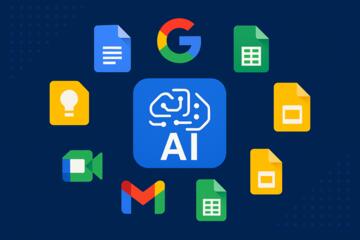
Google Workspace
Connect via API or Zapier.
What you can automate:
-
Auto-generate Google Docs
-
Summarize Sheets data
-
Draft presentations
-
Schedule Calendar events
Microsoft 365
Using Copilot or API connections, ChatGPT can:
-
Create Word docs
-
Analyze Excel spreadsheets
-
Build PowerPoint slides
-
Generate SharePoint content
Step 4: Connect ChatGPT to Project Management Tools
Trello
Automate:
-
Card creation
-
Task descriptions
-
Priority tagging
-
Status updates
Asana
ChatGPT can:
-
Write project briefs
-
Decompose tasks
-
Summarize progress
ClickUp
ClickUp AI enhances:
-
Task creation
-
Reporting
-
Meeting summaries
Integration:
Use Zapier or native ClickUp AI automations.
Jira
Automate:
-
Issue descriptions
-
Bug summaries
-
Dev handoff notes
This is especially useful for engineering teams.
Step 5: Connect ChatGPT to CRM and Sales Tools
HubSpot
You can automate:
-
Lead qualification
-
Follow-ups
-
CRM updates
-
Email drafts
HubSpot AI integrates directly with ChatGPT models.
Salesforce
Using Einstein GPT or API connections:
Capabilities:
-
Auto-generate call summaries
-
Update contact fields
-
Create opportunity notes
-
Predict customer churn
Pipedrive, Zoho, Monday CRM
Integrate via Zapier or Make for:
-
Task routing
-
Email generation
-
Pipeline updates
Step 6: Automate Data and Reporting Workflows
Google Sheets
ChatGPT can transform data via:
-
Cleaning
-
Categorization
-
Analysis summaries
-
Report creation
Power BI & Tableau
While ChatGPT doesn’t directly inject data into dashboards, it can:
-
Generate insights
-
Produce narratives
-
Suggest KPI improvements
Step 7: Connect ChatGPT to Custom Internal Tools
If your company uses proprietary systems, the OpenAI API allows you to:
-
Automate internal workflows
-
Build AI bots
-
Integrate ChatGPT into intranets
-
Add AI to mobile apps
This is where enterprise teams often see the greatest ROI.
Best Real-World Examples
1. Hilton
Uses AI-powered integrations in Teams to summarize meetings across departments.
2. Rakuten
Connects ChatGPT to internal CRMs to automate reporting and customer analytics.
3. Deloitte
Uses advanced automations for contract analysis and document creation.
4. Coursera
Integrates ChatGPT with support workflows, reducing ticket response time by 40%.
Common Mistakes When Connecting ChatGPT to Work Tools
-
Trying to automate everything at once
Start with one or two workflows. -
No data privacy planning
Ensure compliance with ISO 27001, GDPR, and company policy. -
Skipping employee training
Teams need onboarding to trust and use AI effectively. -
Creating overly complex workflows
Keep automations simple at first. -
Not monitoring automation performance
Set KPIs for accuracy and speed.
How to Choose the Right Tools for Integration
Ask these questions:
-
What’s the task I want to automate?
-
Does the tool have a native ChatGPT integration?
-
Does it support Zapier/Make?
-
Do I need API access or developer support?
-
Are there security/compliance requirements?
Author’s Insight
When I implemented ChatGPT automations for a mid-sized marketing agency, they initially wanted "AI everywhere." But we started with three workflows:
-
Drafting client email responses
-
Summarizing meetings into Notion
-
Creating weekly performance reports
Within a month:
-
Email response time dropped by 55%
-
Project managers spent 70% less time on documentation
-
Reporting became entirely automatic
The most valuable insight?
Small, targeted automations create massive cumulative impact.
Once the team saw results, we expanded automation systematically — not chaotically.
Conclusion: ChatGPT Is the Smartest Integration Layer for Modern Work
Connecting ChatGPT to your work apps enables automation, efficiency, and intelligent decision-making across every workflow. Whether your goal is to save time, reduce manual tasks, enhance collaboration, or scale operations — ChatGPT becomes the AI engine that powers your digital workplace.
The companies winning today aren’t working harder — they’re integrating smarter.