What Is AI-Powered Invoice Matching?
AI-powered invoice matching is a method of automatically comparing invoices with purchase orders, contracts, delivery notes, and payment records. Instead of accountants manually checking line items and correcting mismatches, artificial intelligence detects discrepancies, validates data, and highlights exceptions in seconds.
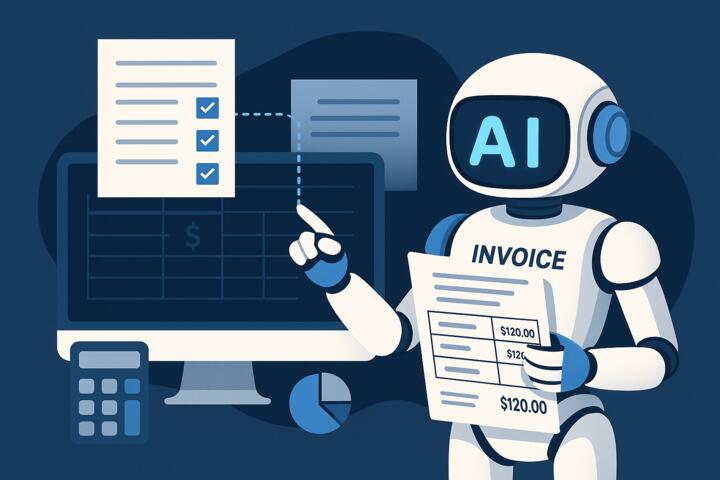
This technology uses a combination of OCR (optical character recognition), NLP (natural language processing), and machine-learning models to interpret invoices—even when formats vary by vendor or region. Modern AP platforms such as Coupa, Bill.com, and SAP Ariba rely heavily on AI to automate reconciliation at scale.
Why Manual Reconciliation No Longer Works
Manual reconciliation is slow, error-prone, and expensive. Finance teams still spend hours correcting typos, identifying duplicate invoices, and locating supporting documents. According to Deloitte’s 2024 Global AP Survey, nearly 30% of AP costs stem from human errors and rework.
Common challenges include:
-
Frequent vendor format changes
-
Missing line-item data
-
High volume of low-value invoices
-
Complex multi-level approval chains
-
Duplicate or fraudulent submissions
AI-powered invoice matching solves these recurring problems by learning vendor patterns and processing rules automatically.
How AI Invoice Matching Works
1. Data Capture and Normalization
The system extracts invoice data using OCR and NLP. It identifies supplier names, PO numbers, line items, taxes, and totals—even if the document is scanned or handwritten.
2. Intelligent Matching
AI compares the extracted data against structured records such as:
-
Purchase orders
-
Contracts
-
Delivery receipts
-
Goods-received notes
-
Previous invoices
Models can perform 2-way, 3-way, and 4-way matching, adapting to the company's workflows.
3. Anomaly and Fraud Detection
Machine-learning algorithms detect inconsistencies such as:
-
Quantity mismatches
-
Unexpected price changes
-
Duplicate invoice IDs
-
Suspicious vendor behavior
This helps prevent fraud and ensures compliance before payments are processed.
4. Exception Routing
When discrepancies occur, AI routes issues to the right stakeholder with context. Some solutions, like UiPath and Microsoft Power Automate, even suggest likely corrections.
5. Continuous Learning
Over time, the system adapts to vendor-specific formats and improves accuracy automatically.
Key Benefits of AI-Powered Invoice Matching
1. Elimination of Manual Reconciliation
AI reduces manual workload by up to 80%, according to a 2023 McKinsey automation study. Accounts payable teams can redirect time to analysis instead of data entry.
2. Faster Month-End Closing
AI speeds up matching cycles from days to minutes. This allows companies like Hilton to run continuous accounting instead of waiting for monthly batch processing.
3. Greater Accuracy and Compliance
Automated controls ensure invoices match contracts, tax rules, and internal policies. AI also creates full audit trails for compliance with SOX, IFRS, and local regulations.
4. Reduced AP Processing Costs
AI minimizes vendor disputes, late fees, and overpayments. Companies typically see a 30–50% reduction in processing costs within the first year.
5. Scalability During Growth
As invoice volume grows, AI scales instantly—no need to hire more staff.
Practical Use Cases Across Industries
Retail and E-commerce
Large retailers like Rakuten process thousands of vendor invoices daily. AI ensures consistent matching even as product catalogs change.
Hospitality
Hotels manage recurring invoices for utilities, food supplies, and maintenance. AI quickly identifies deviations from expected consumption patterns.
Manufacturing
AI improves matching for complex, multi-line invoices that rely on BOM (bill of materials) data.
Professional Services
Consulting and HR firms use AI to validate project-based billing, time logs, and contract terms.
How to Choose an AI Invoice Matching Solution
1. Check OCR Accuracy
Look for tools with +95% extraction accuracy, especially for non-standard or multilingual invoices.
2. Evaluate Integration Capabilities
Your AP platform must connect with:
-
ERP systems (SAP, Oracle, NetSuite)
-
Procurement tools
-
Payment gateways
-
Document repositories
3. Review the Matching Logic
Ensure the system supports:
-
2-way, 3-way, and 4-way matching
-
Line-level comparisons
-
Tolerance thresholds
-
Tax validation rules
4. Confirm Audit and Compliance Features
Look for immutable logs, access controls, GDPR compliance, and secure cloud infrastructure.
5. Examine Vendor Training and Support
Coursera and Harvard Business School studies highlight that successful automation depends on strong change management. Ensure the vendor provides onboarding and AP training resources.
Implementation Checklist
Phase 1 — Process Mapping
Document your current AP workflow:
-
Invoice intake
-
Approval workflow
-
Matching rules
-
Exceptions and escalation paths
Phase 2 — Data Cleanup
-
Standardize vendor master data
-
Remove duplicates
-
Assign unique vendor IDs
-
Align purchase order formats
Phase 3 — Pilot and Train
Start with 1–2 departments. Train the AI model on your historical invoices.
Phase 4 — Rollout and Monitor
Track KPIs such as:
-
First-pass match rate
-
Processing time per invoice
-
Number of exceptions
-
Duplicate detection incidents
Common Mistakes Companies Should Avoid
Mistake 1: Automating a broken process
If your purchase order system is inconsistent, AI cannot fix inaccurate data. Clean your workflows first.
Mistake 2: Ignoring Change Management
Teams may resist automation. Provide training and clear communication.
Mistake 3: Choosing Tools Without Scalability
Some AP tools work for small companies but struggle with thousands of invoices.
Mistake 4: Overlooking Security
Finance systems must meet strict security standards such as ISO 27001 and SOC 2.
Mistake 5: Not Defining Clear KPIs
Without KPIs, you cannot measure ROI or improve performance.
What to Look for in Vendor Demos
Before selecting a platform, ask vendors to demonstrate:
-
How the system handles incomplete invoices
-
Real-time exception routing
-
Matching accuracy on your sample documents
-
Multi-currency support
-
Multi-entity or multi-location workflows
A strong solution will show the entire lifecycle—from invoice upload to payment approval.
The Future of Invoice Matching
AI will soon shift from reactive reconciliation to predictive AP automation. Emerging trends include:
Self-correcting invoices
Systems propose corrections before users intervene.
Zero-touch AP
Vendors like Tipalti and Airbase are building workflows with no human involvement except for strategic exceptions.
Predictive vendor performance analysis
AI models forecast which suppliers will submit incorrect or delayed invoices.
Blockchain verification
Smart contracts will confirm invoice authenticity before payment.
These innovations will help companies eliminate manual reconciliation completely over the next 3–5 years.
Author’s Insight
During a recent consulting project with a mid-sized logistics company, I observed how manual reconciliation consumed almost 40% of the AP team’s time. They used spreadsheets, PDFs, and emails from dozens of suppliers. After implementing an AI-powered invoice matching platform integrated with NetSuite, their first-pass match rate increased from 52% to 91% in three months. The biggest win came from reducing vendor disputes—errors dropped dramatically because the system flagged discrepancies early instead of at month end.
The lesson: automation pays off quickly when teams commit to process discipline and clean data.
Conclusion
AI-powered invoice matching is a major step toward eliminating manual reconciliation and modernizing accounts payable. By automating data extraction, matching, fraud detection, and exception routing, companies reduce costs, increase accuracy, and accelerate month-end closing. With the right solution, finance teams can shift from manual review to strategic decision-making—and build a scalable, future-ready AP operation.
This technology is no longer optional. It is quickly becoming the standard for efficient financial management.