The Evolution of Cognitive Automation
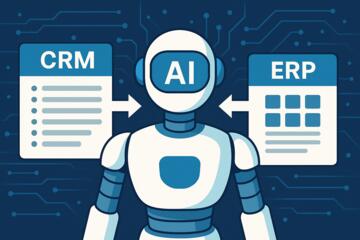
Traditional automation followed a rigid "if this, then that" logic. If a new lead entered the CRM, an email was sent. In 2026, the paradigm has shifted toward agentic workflows. Today’s platforms integrate Large Language Models (LLMs) like GPT-4o or Claude 3.5 directly into the execution path, allowing systems to "read" a document, "decide" on the next best action, and "execute" across multiple apps without human intervention.

Practically, this looks like a customer support ticket being received, an AI agent analyzing the sentiment and intent, checking the user’s subscription status in a database, and then drafting a personalized resolution in the help desk—all in seconds.
According to 2026 industry data from AdAI Research, the global AI automation market has surged to $19.6 billion, with SMB adoption doubling over the last two years. Businesses are no longer just "trying" AI; they are rebuilding their operating models around it.
Common Strategic Failures in Implementation
Many organizations rush into automation and hit a "productivity wall." The most frequent error is automating a broken process. If your manual workflow for approving invoices is disorganized, adding AI will only help you generate errors faster.
-
Process Debt: Companies often layer expensive AI tools over legacy spreadsheets, creating a "fragmentation tax" where data is trapped in silos.
-
The "Demo to Production" Gap: A workflow might look impressive in a controlled test but fails when faced with real-world edge cases or high-volume data.
-
Predictability Issues: Using non-deterministic AI (where the output varies) for deterministic tasks (like financial accounting) leads to a loss of trust in the system.
In one real-world case, an insurance provider automated claims processing but neglected data hygiene. The AI "hallucinated" policy numbers because it was pulling from inconsistent regional databases, leading to a 40% increase in manual audits—the exact opposite of the intended goal.
Strategic Recommendations for Platform Selection
To avoid these pitfalls, you must align your platform choice with your team's technical maturity and your specific use case.
For Rapid Deployment: The Connector Giants
Platforms like Zapier remain the gold standard for speed. With over 7,000 integrations, it is the go-to for non-technical teams.
-
Why it works: Their "AI Copilot" allows you to describe a workflow in plain English to build it.
-
Result: A marketing team can automate a multi-channel content distribution system in under two hours, cutting manual posting time by 85%.
For Complex Logic: The Visual Architects
Make (formerly Integramat) offers a visual canvas that is superior for complex branching. Unlike linear tools, it handles loops and multi-step data transformations elegantly.
-
Why it works: It’s roughly 60% more cost-effective than competitors at high volumes.
-
Result: A logistics firm using Make to coordinate 50,000 monthly shipments saved $4,000 in monthly task fees compared to their previous setup.
For Technical Control: The Open-Source Standard
n8n is the choice for developers and companies with strict data privacy needs (GDPR/HIPAA).
-
Why it works: It can be self-hosted, meaning your sensitive data never leaves your servers. It uses a "fair-code" model, giving you the power of a custom-coded backend with a low-code UI.
-
Implementation: Connect it to a vector database like Pinecone to give your AI agents long-term memory.
Measurable Success: Case Studies
Case 1: E-commerce Scaling
-
Company: A mid-sized apparel retailer.
-
Problem: 30% of customer inquiries were simple "Where is my order?" (WISMO) tickets, overwhelming staff.
-
Solution: Integrated a hybrid n8n + GPT-4o workflow. The AI queries the Shopify API, checks the shipping status, and responds via Zendesk.
-
Result: 72% of WISMO tickets are now resolved without human touch. The team reduced response times from 14 hours to 4 minutes.
Case 2: Legal Document Analysis
-
Company: A boutique law firm.
-
Problem: Spending 20+ hours a week summarizing discovery documents.
-
Solution: Used Make to watch a Dropbox folder. When a PDF is added, it’s sent to an LLM for summarization and key date extraction, then pushed to a Notion database.
-
Result: Document processing time dropped by 90%, allowing the firm to take on 25% more clients without hiring new paralegals.
Platform Comparison Framework
| Feature | Zapier | Make.com | n8n |
| Best For | Non-technical / Speed | Complex Ops / Value | Developers / Security |
| Learning Curve | Low | Medium | High |
| Integration Count | 7,000+ | 1,500+ | 400+ (plus custom API) |
| Pricing Model | Per Task (Expensive at scale) | Per Operation (Efficient) | Self-hosted (Free/Flat) |
| AI Capabilities | Native Chatbots & Copilot | Deep LLM Module Support | Native LangChain nodes |
Avoiding Fatal Automation Errors
To ensure long-term stability, follow these guidelines:
-
Human-in-the-Loop (HITL): For any task with high emotional stakes or financial risk, the AI should draft, but a human must approve.
-
Modular Design: Don’t build one giant "mega-workflow." Break it into smaller, testable sub-processes. This makes debugging 10x easier.
-
Data Governance: Before connecting an LLM to your database, ensure you are using "least-privilege" access. The AI should only see the data it absolutely needs to perform the task.
FAQ
1. Which platform is cheapest for high-volume tasks?
n8n is typically the most cost-effective because you can self-host it on your own infrastructure for a flat monthly cost or for free, avoiding "per-task" fees.
2. Can I use these platforms if I don't know how to code?
Yes. Zapier and Make are designed for "no-code" users. However, for AI-heavy workflows, a basic understanding of how prompts work is essential.
3. Is my data safe when using AI automation?
It depends on the platform and the LLM provider. Enterprises should look for platforms that offer SOC2 compliance and the ability to use "Zero Data Retention" (ZDR) APIs.
4. How do I measure the ROI of my automation?
Calculate the (Manual Time per Task × Hourly Rate) minus (Automation Cost + Maintenance Time). Most businesses see a 250% ROI within the first 18 months.
5. What is an AI agent vs. a standard automation?
A standard automation follows a fixed path. An AI agent uses a model to decide which path to take based on the context of the input.
Author’s Insight
In my years of architecting digital operations, I’ve found that the biggest hurdle isn't the technology—it's the mental model of the user. People often try to build "perfect" automations from day one. My advice? Start with a "v0.1" that only handles the most repetitive 50% of the task. Proving value on a small scale builds the internal political capital you need to tackle the more complex 50%. The most successful companies I work with don't just "install" AI; they treat it as a new digital hire that needs clear instructions and a probationary period.
Conclusion
Choosing between Zapier, Make, or n8n depends entirely on whether you value speed, complexity, or control. For 2026, the winning strategy is a hybrid stack: use Zapier for simple front-end connections, Make for heavy-duty operational logic, and n8n for secure, data-sensitive tasks. Stop looking for a single "magic" tool and start building a modular ecosystem that can adapt as AI models continue to evolve. Your next step is to audit your most time-consuming manual process and map it out visually before you ever touch a piece of software.