Overview: What No-Code AI Workflows Are and Why They Matter
A no-code AI workflow is an automated process powered by machine learning models, orchestrated through visual tools such as Zapier, Make, Airtable Automations, Notion AI, or enterprise platforms like Microsoft Power Automate and n8n. Users connect building blocks—triggers, data transformations, AI model calls, API integrations, and conditional logic—to perform multi-step operations.

Practical example
A marketing manager can build a workflow that:
-
Takes incoming leads from HubSpot
-
Uses an AI model to score lead intent
-
Summarizes their message
-
Sends personalized follow-up emails
-
Logs the interaction in a CRM
—all without coding.
Real facts
-
Gartner forecasts that 70% of new enterprise applications will use no-code/low-code technologies by 2025.
-
Zapier reported that teams using AI automations saved an average of 10+ hours per employee per week.
No-code AI makes automation accessible to everyone, eliminating bottlenecks caused by limited engineering resources.
Key Pain Points When Building AI Workflows Manually
1. Limited Engineering Resources
Most companies don’t have enough developers to build bespoke AI systems for every department.
Consequences:
-
Projects get delayed
-
Experiments become too costly
-
Non-technical teams stay dependent on IT
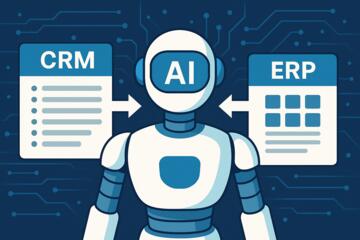
2. Fragmented Data and Tools
Companies often rely on dozens of apps:
-
CRM
-
ERP
-
Email platforms
-
Analytics tools
-
Document storage
-
Chat systems
Manual data transfer leads to errors and delays.
3. Inconsistent, Unreliable Processes
Without automation, workflows vary between employees, leading to:
-
lost information
-
inconsistent outputs
-
hard-to-track decisions
Example: customer support notes vary depending on who writes them.
4. Slow Experimentation Cycles
Launching an AI project using traditional development can take weeks or months.
Impact:
Teams can’t test AI ideas quickly, and ROI is delayed.
5. Difficulty Integrating AI Into Real Workflows
Even if teams experiment with GPT models or internal LLMs, they struggle to operationalize them:
-
No prompt templates
-
No automated triggers
-
No routing logic
-
No human-in-the-loop checkpoints
This makes AI adoption slow and inconsistent.
AI Solutions and Practical Recommendations
Below are the most effective strategies for building custom AI workflows without writing code, complete with tools, real use cases, and measurable outcomes.
1. Start With a No-Code Automation Platform
What to do:
Choose a platform that supports AI actions and integrations:
-
Zapier AI Actions
-
Make.com (Integromat)
-
n8n Cloud
-
Microsoft Power Automate
-
Notion AI workflows
-
Airtable Automations + AI
Why it works:
These platforms replace complex engineering tasks with drag-and-drop blocks, allowing anyone to assemble workflows visually.
Practical example:
A recruitment team uses Make.com to automatically:
-
receive job applications
-
extract candidate details using AI models
-
score resumes
-
send updates to managers
Results:
HR time spent on screening decreased by 65%.
2. Use AI Models for Task Automation Inside Workflows
What to do:
Embed ML models into steps of a workflow for:
-
classification
-
summarization
-
entity extraction
-
sentiment analysis
-
translation
-
prediction
Tools:
-
OpenAI GPT-4 Classifier + Embeddings
-
Cohere AI Classify
-
Google Vertex AI models
-
HuggingFace hosted inference
Example in practice:
A logistics firm routes incoming customer messages to the right department using GPT-based intent detection.
Impact:
Ticket resolution time improved by 28%.
3. Build Multi-Step Decision Trees Using AI Logic
What to do:
Use conditional logic to automate decisions:
-
If sentiment is negative → escalate to a manager
-
If invoice total > $50,000 → trigger human review
-
If classification = “urgent” → send SMS alert
Tools:
-
Zapier Paths
-
Make Routers
-
Power Automate Conditions
This replaces manual triage.
4. Integrate External Data Sources Automatically
What to do:
Connect CRMs, cloud storage, email apps, and databases to your workflow.
Tools:
-
Zapier integrations (5,000+ apps)
-
Make integrations
-
API connectors in n8n
-
Power Automate connectors
Outcome:
Data flows automatically instead of through manual copy-paste.
Example:
An e-commerce retailer sends abandoned cart messages generated by AI based on customer behavior, increasing recovery rates by 12–18%.
5. Use AI for Document Interpretation and Extraction
What to do:
Automate extraction of:
-
invoices
-
contracts
-
receipts
-
reports
-
forms
Tools:
-
OpenAI GPT-4 with structured output
-
Amazon Textract
-
Google Document AI
-
Microsoft Syntex
Typical results:
Financial teams save 50–70% of manual data entry time.
6. Add Human-in-the-Loop Review Steps
To maintain accuracy, your workflow should request approvals when:
-
confidence < threshold
-
output affects compliance
-
sensitive data is involved
Tools:
-
Zapier Approval workflows
-
Make.com Human-in-the-Loop
-
Power Automate Approvals
This ensures reliability for business-critical tasks.
7. Deploy Templates to Scale Faster
No-code platforms offer ready-made templates:
-
customer support assistant
-
automated content generator
-
lead enrichment pipeline
-
contract summarizer
-
report builder
These accelerate development and ensure best practices.
Mini-Case Examples
Case 1: Real Estate Firm Automates Client Onboarding
Company: Horizon Property Group
Problem: Agents manually reviewed inquiries, wrote follow-ups, and entered client details into a CRM.
Solution: Used Zapier + GPT-4 + HubSpot integration to auto-extract client data and create personalized messages.
Results:
-
Response time reduced from 12 hours to under 15 minutes
-
Lead conversion increased by 31%
-
Manual data entry dropped by 80%
Case 2: Manufacturing Company Automates Quality Reports
Company: Stellon Manufacturing
Problem: Engineers manually summarized long inspection notes into weekly reports.
Solution: Built a Make.com workflow that:
-
aggregates notes
-
uses AI to classify defects
-
generates structured summaries
-
uploads reports to SharePoint
Results: -
Report preparation time reduced by 70%
-
Quality trends became visible earlier
-
Management meetings shortened by 20 minutes per session
Comparison Table: Best Tools for No-Code AI Workflow Automation
| Tool | Best For | Strengths | Limitations |
|---|---|---|---|
| Make.com | Multi-step, complex workflows | Affordable, flexible, powerful routing | Higher learning curve |
| Zapier | Quick automations | 5,000+ app integrations, AI Actions | Expensive at scale |
| n8n | Technical users without coding | Self-host or cloud, full customization | Requires setup knowledge |
| Power Automate | Microsoft ecosystem | Deep Office 365 integration | Licensing complexity |
| Airtable + AI | Internal tools & databases | Built-in automations, AI fields | Limited external integrations |
| Notion AI | Knowledge workflows | Great for content + task automation | Not built for heavy data pipelines |
Step-By-Step Checklist: How to Build Your First No-Code AI Workflow
1. Define the Workflow Goal
Write a one-sentence outcome, e.g.:
“Automatically summarize incoming customer emails and categorize them.”
2. Identify Inputs and Outputs
Inputs: email text
Outputs: summary + classification + CRM entry
3. Choose a No-Code Platform
Pick based on complexity:
-
simple → Zapier
-
complex routing → Make
-
internal knowledge workflows → Notion
-
enterprise → Power Automate
4. Select AI Models
Choose based on task:
-
GPT-4 or Claude → summarization
-
Cohere → classification
-
HuggingFace → sentiment analysis
5. Map the Workflow Steps
Example:
-
Trigger: new email arrives
-
AI summary
-
AI classification
-
Conditional routing
-
CRM update
-
Slack alert
6. Add Human Review if Needed
Define when humans approve or override.
7. Test With Real Data
Run 20–50 test cases and refine prompts.
8. Monitor Accuracy and Adjust
Review outputs weekly and fine-tune prompts or logic.
Common Mistakes and How to Avoid Them
1. Building Workflows Before Understanding the Process
Teams often automate unclear or broken processes.
Fix:
Map the workflow manually first.
2. Overusing AI When Simple Logic Works
Not every step requires an LLM.
Fix:
Use AI only where ambiguity exists.
3. Ignoring Data Privacy
AI often processes sensitive information.
Fix:
Choose platforms with SOC 2, GDPR, and encryption options.
4. Not Tracking Version History
Workflows evolve, and undocumented changes cause failures.
Fix:
Use naming conventions and version logs.
5. Skipping Monitoring and Alerts
Automations break silently.
Fix:
Add notifications on errors or unusual outputs.
Author’s Insight
From my work helping organizations deploy no-code AI systems, the most successful teams start small—automating a single workflow end-to-end—and then scale. The magic happens when business units can build AI tools themselves. My practical advice: focus on workflows that combine repetitive tasks and text processing, because that’s where LLMs provide the biggest ROI with the least complexity.
Conclusion
No-code AI platforms empower teams to create powerful automation workflows without writing code. By combining triggers, AI models, conditional logic, and integrations, businesses can streamline operations, improve accuracy, and save hundreds of hours each month. As AI becomes standard in every department, building custom workflows will become a competitive advantage—not just a technical capability.