Introduction: Why Automating Evidence Organization for Court Cases Matters
Automating evidence organization for court cases is becoming essential as litigation grows more complex, volumes of digital evidence increase, and courts expect faster, cleaner submissions. Legal teams today handle thousands of documents—emails, text messages, PDFs, surveillance footage, expert reports, financial statements, and more. Manual sorting is slow, error-prone, and extremely costly.
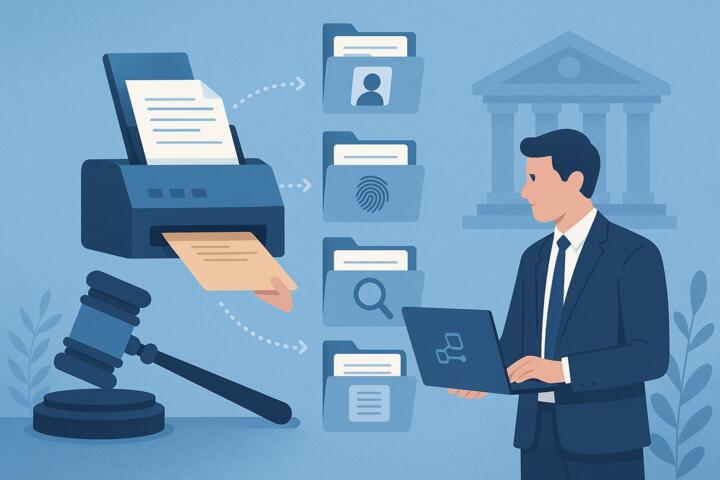
Automation and AI tools simplify this process by categorizing evidence, extracting facts, detecting duplicates, and creating structured digital case files. Firms like Deloitte, Everlaw, Relativity, and Thomson Reuters now rely heavily on automation to prepare for trial with greater accuracy and speed.
What Is Evidence Organization Automation?
Evidence organization automation refers to using AI, machine learning, OCR, NLP, and workflow software to collect, classify, tag, and manage case materials.
Key features include:
-
Automated document classification
-
Metadata extraction
-
Audio/video transcription
-
Duplicate detection
-
Relevance scoring
-
Timeline creation
-
Searchable evidence repositories
-
Integration with case management systems
Automation creates a central “single source of truth” for everything related to the case.
Why Legal Teams Need Automated Evidence Organization
1. Increasing Volumes of Digital Evidence
Modern litigation includes:
-
Emails
-
WhatsApp and SMS messages
-
Slack chats
-
Social media data
-
GPS logs
-
Surveillance footage
-
Cloud documents
Harvard Law School reports that digital evidence now represents over 90% of litigation materials.
Manual processing is no longer feasible.
2. Faster Case Preparation
Automation speeds up:
-
Fact-finding
-
Discovery responses
-
Trial prep
-
Deposition preparation
-
Brief drafting
Firms using AI-driven evidence review report 30–50% faster preparation times.
3. Reduced Human Error
Automation identifies:
-
Missing documents
-
Misfiled evidence
-
Contradictions
-
Inconsistencies in statements
This leads to stronger, more reliable case strategies.
4. Improved Collaboration Among Legal Teams
Automation tools allow multiple attorneys to:
-
Work in real time
-
Tag evidence
-
Add notes and insights
-
Build chronological fact patterns
Everything stays perfectly synced.
5. Better Compliance and Chain-of-Custody Tracking
Courts require:
-
Clear evidence provenance
-
Proper storage
-
Audit trails
Digital tools ensure nothing is altered, lost, or mishandled.
How Automation Tools Organize Evidence in Court Cases
1. Automated Document Intake and Categorization
Tools like RelativityOne and Everlaw automatically:
-
Ingest thousands of documents at once
-
Sort them by type (contracts, emails, invoices, reports)
-
Extract parties, dates, keywords, and topics
This eliminates hours of manual sorting.
2. Optical Character Recognition (OCR)
OCR converts:
-
Scanned documents
-
Handwritten notes
-
Photographs
-
PDFs
Into fully searchable text.
3. Audio and Video Transcription
AI can transcribe:
-
Interviews
-
Wiretaps
-
Police recordings
-
Depositions
Tools like Rev AI and Otter.ai provide timestamps, speaker labels, and key topics.
Benefits
-
Faster review
-
Easy quote extraction
-
Better preparation for motions and trial
4. Automated Timeline Creation
AI extracts:
-
Dates
-
Times
-
Events
-
Actions
-
Communications
And generates a chronological timeline of relevant events.
This is invaluable for:
-
Opening statements
-
Cross-examination
-
Summary judgment briefs
5. Entity and Keyword Extraction
Automation identifies:
-
Names
-
Organizations
-
Locations
-
Financial data
-
Legal terms
Machine learning highlights recurring patterns and potential smoking-gun evidence.
6. Relevance Scoring and Predictive Coding
Predictive coding—used by Deloitte and PwC—estimates how relevant each document is based on attorney-reviewed examples.
Outcomes
-
Less time spent on irrelevant files
-
Faster discovery
-
Lower review costs
7. Duplicate and Near-Duplicate Detection
AI spots:
-
Duplicate documents
-
Email chains with repeated content
-
Slightly modified copies
This reduces clutter and improves clarity in the evidence set.
8. Secure Cloud Storage and Permission Controls
Cloud-based platforms ensure:
-
Evidence integrity
-
Role-specific access
-
Version history
-
Automatic backups
This is crucial for preventing tampering and unauthorized access.
Use Cases: How Legal Teams Automate Evidence Organization
1. Criminal Defense and Prosecution
Automation helps analyze:
-
CCTV footage
-
Police reports
-
Digital communications
-
Forensic files
Attorneys build timelines and test theories faster.
2. Civil Litigation and Discovery
Civil cases often involve thousands—or millions—of documents.
Automation tools help:
-
Identify relevant communications
-
Screen corporate records
-
Extract financial details
-
Find contradictions
3. Family Law Cases
Evidence includes:
-
Text messages
-
Emails
-
Bank statements
-
Location data
Automation streamlines evidence compilation for motions and hearings.
4. Corporate and Regulatory Investigations
Internal investigations require:
-
Fast document processing
-
Secure storage
-
Comprehensive audit trails
Automation reduces the cost and complexity of compliance reviews.
Technologies Powering Evidence Automation
1. Natural Language Processing (NLP)
Reads contracts, emails, and transcripts to extract meaning.
2. Machine Learning (ML)
Learns from attorney decisions to classify relevance.
3. Optical Character Recognition (OCR)
Turns images into searchable text.
4. Predictive Analytics
Predicts document importance or risk level.
5. Cloud Case Management Platforms
Centralize files, notes, and collaboration.
How to Implement Automation in Evidence Organization
1. Audit Your Current Evidence Workflow
Identify:
-
Bottlenecks
-
Repetitive tasks
-
Error-prone steps
2. Choose an Automation Platform
Top tools include:
-
RelativityOne
-
Everlaw
-
Casepoint
-
Logikcull
-
LexisNexis Litigation Tools
Evaluate:
-
Search capabilities
-
AI features
-
Security ratings
-
Integration options
3. Train Your Legal Team
Training should include:
-
Search techniques
-
Tagging and annotation
-
Predictive coding supervision
-
Chain-of-custody interpretation
4. Set Up Standardized Naming and Tagging Conventions
Consistency is key for:
-
Evidence clarity
-
Cross-team collaboration
-
Trial preparation
5. Maintain Data Hygiene
Avoid:
-
Duplicate uploads
-
Unlabeled files
-
Outdated evidence
-
Poor metadata
Common Mistakes When Automating Evidence Organization
Mistake 1: Uploading disorganized files
Garbage in = garbage out.
Mistake 2: Overreliance on AI
Human review is still essential.
Mistake 3: Ignoring metadata
Metadata is crucial for authenticity and admissibility.
Mistake 4: Forgetting security protocols
Legal teams must follow compliance requirements.
Mistake 5: Inadequate training
Tools are only effective when users understand them.
Author’s Insight
During a litigation project involving over 250,000 documents, our team initially attempted manual review. Progress was painfully slow, and inconsistencies appeared quickly. After switching to an automated evidence platform with predictive coding, our review speed increased by 60%, and we uncovered key communications that manual reviewers had missed entirely.
The experience taught me that automation doesn’t replace legal judgment—it amplifies it.
Conclusion
Automating evidence organization for court cases helps legal teams work faster, reduce errors, and prepare stronger arguments. By leveraging AI, OCR, predictive coding, and data visualization, firms gain a competitive edge and improve their litigation outcomes. As courts continue to modernize and digital evidence grows, automation will shift from a competitive advantage to a necessary standard.