Overview: How AI Improves Meeting Efficiency
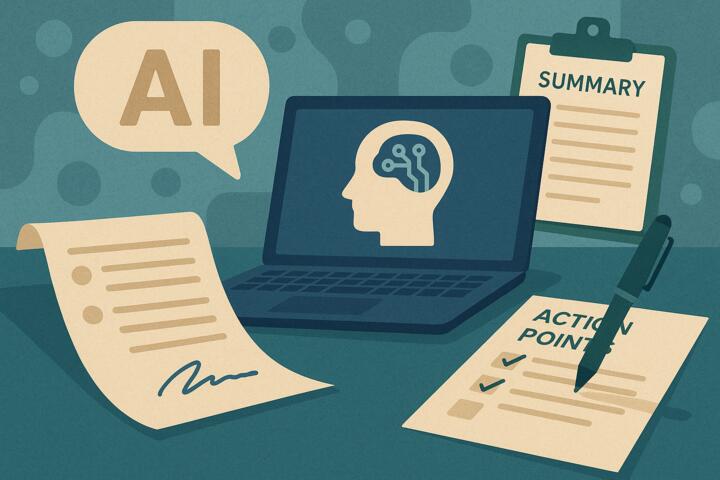
AI-powered meeting tools use speech recognition, natural language processing (NLP), and machine learning to analyze conversations in real time. Instead of relying on human note takers, people can focus on the discussion while AI captures:
-
full transcripts
-
structured meeting summaries
-
decisions made
-
action items with assignees
-
deadlines and follow-ups
Real-world examples
-
Microsoft Teams Intelligent Recap automatically organizes topics, speakers, and tasks.
-
Zoom IQ generates chaptered summaries and action items after each meeting.
-
Otter.ai, Fireflies.ai, and Fathom create searchable transcripts and auto-tag key points.
A Harvard Business Review study found that employees spend approximately 18 hours per week in meetings, yet over 35% of meeting time provides no measurable value. AI dramatically reduces this waste.
Key Pain Points in Meetings Today
1. Poor Note-Taking and Incomplete Documentation
Most employees multitask during meetings, leading to:
-
missing decisions
-
unclear follow-ups
-
inaccurate memory
-
inconsistent records
Example:
A project review meeting leads to agreement on deadlines, but no one documents them—causing delays and misalignment.
2. Lack of Accountability for Action Items
Meetings often end with vague commitments:
-
“We should look into this.”
-
“Let’s follow up next week.”
-
“Someone needs to finalize the budget.”
Consequences:
Tasks are forgotten or repeated, creating inefficiency.
3. Time Lost Searching for Information
Teams frequently ask:
-
“Who said what?”
-
“What did we decide?”
-
“Where is the previous discussion documented?”
Without transcripts or searchable notes, knowledge becomes fragmented.
4. Too Many Meetings and Meeting Fatigue
Employees attend meetings they don’t need to, simply to stay informed.
Impact:
Lower productivity and higher burnout.
5. Cross-Functional Misalignment
Companies distributed across regions often lack consistent meeting documentation, making collaboration harder.
AI Solutions and Actionable Recommendations
Below are practical applications of AI that directly improve meeting effectiveness.
1. Implement AI Transcription to Capture Everything Accurately
What to do:
Adopt AI transcription tools that capture every word automatically.
Why it works:
Employees no longer need to type notes or worry about forgetting details.
Tools:
-
Otter.ai
-
Fireflies.ai
-
Rev AI
-
Teams + Zoom transcription
How it works in practice:
AI detects speakers, timestamps sections, and creates a fully searchable transcript.
Results:
Teams report 50–70% less time spent on post-meeting documentation.
2. Use AI to Generate Structured Summaries and Highlights
What to do:
Enable AI summary features that break meetings into digestible sections.
Capabilities:
-
topic extraction
-
key decisions
-
risks raised
-
next steps
Tools:
-
Zoom IQ
-
Microsoft Intelligent Recap
-
Fathom AI Assistant
Impact:
Reduces time spent reading or rewatching meeting recordings by 80–90%.
3. Automate Action Item Extraction and Assignment
What to do:
Deploy AI systems that identify tasks and recommend assignees based on context.
Tools:
-
Fireflies Action Items
-
Notion AI Meeting Action Points
-
Motion AI Task Automation
-
ClickUp AI task extraction
In practice:
If someone says, “I’ll update the proposal by Friday,” AI converts it into a task with deadline and owner.
Result:
Teams see 30–50% improvement in task completion rates.
4. Integrate AI Meeting Notes With Workflow Tools
What to do:
Push AI-derived tasks into:
-
Jira
-
Asana
-
Trello
-
ClickUp
-
Monday.com
-
Notion
Why it works:
Prevents tasks from getting lost in meeting notes.
Measured impact:
Automation removes 10–20 minutes of manual logging per meeting.
5. Use Real-Time AI Insights During Meetings
What to do:
Enable live AI features that provide prompts such as:
-
“You have been off-topic for 5 minutes.”
-
“Three participants haven’t spoken.”
-
“Time is running out; revisit the agenda.”
Tools:
-
Zoom IQ Live Insights
-
Otter Live Summary
Impact:
Helps facilitators keep discussions on track, reducing meeting length by 15–25%.
6. Apply NLP to Identify Recurring Issues Across Meetings
What to do:
Analyze patterns in transcripts to identify:
-
recurring bottlenecks
-
unresolved issues
-
repeated requests
-
communication gaps
Tools:
-
Microsoft Viva Insights
-
Fireflies Conversation Intelligence
Outcome:
Leadership gains visibility into systemic problems.
7. Enable Accessibility and Inclusion With AI
What to do:
Use live captioning, multilingual transcription, and translation.
Tools:
-
Zoom Smart Translation
-
Google Meet AI captions
-
Deepgram translation engines
Why it works:
Improves understanding for distributed teams and supports employees with hearing impairments.
Mini-Case Examples
Case 1: SaaS Company Cuts Meeting Recap Time by 80%
Company: Nexora Cloud Systems
Problem: Teams spent hours summarizing weekly syncs across engineering, sales, and product.
Solution: Implemented Otter.ai + ClickUp integration.
Results:
-
Recap time reduced from 45 minutes to under 10 minutes
-
Tasks automatically added to ClickUp, improving accountability
-
Meeting fatigue decreased as employees no longer attended meetings solely for note-taking
Case 2: Consulting Firm Improves Client Deliverables
Company: Brighton Strategy Group
Problem: Client meetings lacked structured documentation; consultants often missed key insights.
Solution: Adopted Zoom IQ + Notion AI to generate summaries and action items.
Results:
-
Client capture accuracy improved 33%
-
Follow-up time reduced by 40%
-
Senior partners noted better consistency across engagement teams
Comparison Table: AI Meeting Productivity Tools
| Tool | Best For | Key Features | Strengths | Limitations |
|---|---|---|---|---|
| Otter.ai | Teams needing accurate transcripts | Live notes, summaries, speakers | Excellent accuracy | Best for English |
| Fireflies.ai | Workflow-heavy teams | Action items, CRM integrations | Strong automation | UI can feel dense |
| Zoom IQ | Zoom-centric companies | Chapters, insights, tasks | Built into Zoom | Limited external integrations |
| Microsoft Intelligent Recap | M365 enterprises | Topic grouping, speakers, tasks | Deep Teams integration | Requires premium plan |
| Fathom | Sales + client calls | Highlight tagging, auto notes | Fast + free tier | Less enterprise control |
| Notion AI | Knowledge-based teams | Task extraction, rewriting | Great for documentation | Requires manual uploading |
Common Mistakes and How to Avoid Them
1. Treating AI Notes as a Full Replacement for Human Review
AI is accurate but not perfect.
Fix:
Have meeting owners quickly validate summaries.
2. Not Defining Naming Conventions for Meeting Notes
Without structure, documentation becomes messy.
Fix:
Standardize meeting titles, categories, tags, and folders.
3. Failing to Integrate Meeting Output With Task Systems
Notes stay isolated instead of feeding workflows.
Fix:
Use integrations with Jira, Trello, Asana, Notion, or CRM tools.
4. Ignoring Confidentiality and Access Controls
Meeting transcripts may include sensitive information.
Fix:
Restrict access, enable encryption, and apply retention policies.
5. Over-Automating Without Communicating With Teams
Employees may resist sudden changes.
Fix:
Introduce AI assistants gradually with clear benefits.
Author’s Insight
In my experience helping teams adopt AI for meeting productivity, the biggest breakthrough comes not from transcription itself but from structured action tracking. When teams have clear ownership, deadlines, and automated follow-up reminders, meeting outcomes improve dramatically. My top recommendation is to integrate AI summaries directly into your task management platform—this single step eliminates repeated work and prevents follow-ups from slipping through the cracks.
Conclusion
AI-enhanced meeting productivity tools improve efficiency by generating accurate transcripts, actionable summaries, and clearly assigned tasks. Organizations that adopt AI for meeting documentation reduce wasted time, improve collaboration, strengthen accountability, and eliminate knowledge loss. As remote and hybrid work continues to grow, AI meeting assistants will become essential for teams aiming to work smarter, not harder.