Overview: How Machine Learning Enhances Workforce Scheduling
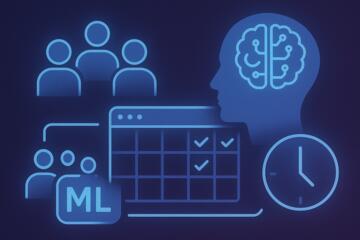
Traditional workforce scheduling relies on spreadsheets, static templates, and managers’ intuition about peak hours and staffing needs. While this may work for small teams, larger operations with fluctuating demand face significant inefficiency and labor costs.
Machine learning improves scheduling by analyzing:
-
historical sales or service volume
-
seasonality
-
employee performance and skills
-
weather patterns
-
local events
-
absenteeism trends
-
labor regulations and constraints
Real-world examples of ML in scheduling
-
Walmart uses machine learning to forecast hourly staffing needs across thousands of stores.
-
Starbucks deployed an AI scheduling system that cut scheduling inconsistencies by over 25%.
-
Kronos (UKG) ML algorithms reduce scheduling time by up to 80% while improving shift coverage accuracy.
A McKinsey study reported that optimized workforce scheduling can reduce labor costs by 5–12% and increase employee satisfaction by 20–30%.
Key Pain Points in Workforce Scheduling
1. Overstaffing and Understaffing
When schedules don’t reflect real demand:
-
Overstaffing leads to wasted labor spend.
-
Understaffing causes long wait times, lower service quality, and employee burnout.
Scenario:
A retailer schedules 12 employees for a Saturday morning shift, but historical patterns show customer traffic spikes later in the afternoon. This mismatch increases costs and reduces conversion rates.
2. Manual Scheduling Takes Too Much Manager Time
Managers often spend 5–10 hours per week building and adjusting schedules.
Problem:
This is time taken away from leadership, coaching, and customer-facing responsibilities.
3. Employee Dissatisfaction Due to Unpredictable Schedules
Last-minute changes, unfair shift distribution, and lack of work-life balance increase turnover.
Impact:
Turnover costs industries like hospitality and retail $3,000–$5,000 per employee replaced.
4. Difficulty Predicting Peak Demand
Most businesses rely on historical averages rather than granular demand prediction.
Consequences:
They miss seasonal spikes, promotional surges, weather-driven fluctuations, and local event impacts.
5. Compliance Risks
Labor laws require strict adherence to:
-
maximum weekly hours
-
rest periods
-
break requirements
-
predictive scheduling mandates (in some U.S. states)
Manual scheduling makes compliance difficult and error-prone.
6. Limited Visibility Into Skill Matching
Some roles require the right certifications or experience levels.
Example:
A hospital must ensure a minimum number of nurses with specialty training per shift.
Human schedulers frequently overlook these micro-constraints.
AI Solutions and Practical Recommendations
Below are actionable ML-driven strategies with specific tools and measurable performance improvements.
1. Adopt ML Demand Forecasting for Precise Staffing
What to do:
Use ML models to predict hourly, daily, and weekly staffing needs based on hundreds of variables.
Why it works:
ML identifies non-obvious patterns that humans miss.
Tools:
-
UKG Dimensions
-
Workday Scheduling
-
Kronos Workforce Management AI
-
ADP DataCloud Predictive Analytics
In practice:
A grocery chain predicts customer flow based on:
-
past sales by department
-
local weather forecasts
-
paycheck cycles
-
holiday traffic
-
school schedules
Impact:
Labor efficiency improves by 8–15% while maintaining service levels.
2. Automate Schedule Creation Using Optimization Algorithms
What to do:
Use ML and optimization engines to build schedules that balance:
-
employee availability
-
skills
-
labor budget
-
compliance rules
-
predicted demand
Tools:
-
Deputy Auto-Scheduling
-
Shiftboard SchedulePro
-
7shifts AI Scheduler (restaurants)
Why it works:
Algorithms consider thousands of constraints instantly—something impossible manually.
Results:
Organizations report 50–80% faster schedule creation.
3. Personalize Scheduling for Employee Preferences
What to do:
Use AI platforms that match shifts with employee preferences, strengths, and work history.
Tools:
-
WorkJam
-
Quinyx AI Scheduling
-
When I Work with ML preference-matching
Practical example:
AI notices an employee consistently performs better in morning shifts and offers them similar shifts first.
Outcome:
Employee satisfaction improves by 20–30%, lowering turnover rates.
4. Automate Real-Time Schedule Adjustments
What to do:
Enable AI systems to adjust staffing levels when live conditions deviate from forecasts.
Examples:
-
sudden surge in customers
-
weather changes
-
employee absence
-
equipment failures
-
sick calls
Tools:
-
Reflexis Real-Time Task Manager
-
Legion Workforce Management
-
Hinza AI Real-Time Scheduler
Results:
Businesses avoid both under-staffing and unnecessary overtime, saving 3–8% in labor spend.
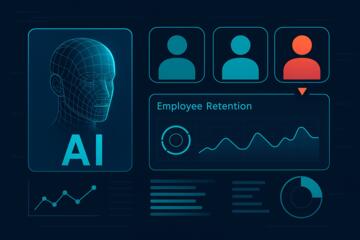
5. Predict and Reduce Employee Turnover With ML
What to do:
Use ML models to flag employees at risk of leaving based on:
-
schedule instability
-
high overtime
-
lack of preferred shifts
-
absence patterns
-
survey sentiment
Tools:
-
Workday People Analytics
-
Visier People
-
HiBob with predictive retention insights
Why it works:
Turnover often correlates with poor scheduling quality.
Measured impact:
Organizations reduce frontline turnover by 10–25% after implementing predictive scheduling analytics.
6. Improve Compliance Automatically
What to do:
Enable scheduling tools that enforce rules automatically—breaks, mandatory rest, predictive scheduling laws, minor regulations, and union agreements.
Tools:
-
Kronos Compliance AI
-
Deputy Compliance Engine
-
Quinyx Advanced Compliance
Outcome:
Companies reduce compliance violations by 40–70%, avoiding costly fines.
7. Integrate Workforce Scheduling With Business Systems
What to do:
Connect scheduling tools with POS, ERP, HRIS, and customer demand systems.
Examples:
-
POS data shows sales by hour
-
ERP identifies supply chain disruptions
-
HRIS tracks certifications and availability
Tools:
-
Workday + Kronos integration
-
ADP + Deputy
-
SAP SuccessFactors + UKG
Impact:
End-to-end visibility improves accuracy and reduces scheduling bottlenecks.
Mini-Case Examples
Case 1: Retail Chain Improves Efficiency by 14%
Company: BrightMart Retail Group
Problem: Chronic understaffing on weekends and overstaffing during weekdays.
Solution: Implemented UKG Dimensions with ML demand forecasting.
Results:
-
Understaffed shifts reduced 46%
-
Labor productivity improved 14%
-
Manager scheduling time cut from 9 hours/week to 2.5 hours
Case 2: Restaurant Group Lowers Turnover With AI Scheduling
Company: UrbanEats Restaurant Collective
Problem: High frontline turnover and inconsistent shift fairness.
Solution: Deployed 7shifts AI Scheduler + WorkJam preference matching.
Results:
-
Turnover dropped 22%
-
Staff satisfaction scores improved by 31%
-
Scheduling conflicts reduced 40%
Comparison Table: Leading ML Workforce Scheduling Tools
| Tool | Best For | Strengths | Limitations |
|---|---|---|---|
| UKG Dimensions | Large enterprises | Advanced AI forecasting, compliance | Higher cost |
| Workday Scheduling | HR-centric organizations | Deep HR integration | Complex setup |
| Deputy | SMB and mid-size | Auto-scheduling, compliance tools | Forecasting less advanced |
| 7shifts | Restaurants | Industry-specific optimization | Niche focus |
| Quinyx | Retail & logistics | AI for preferences + demand | UI complexity |
| Legion WFM | Shift-driven operations | Real-time optimization | Requires data maturity |
Common Mistakes and How to Avoid Them
1. Using ML Without High-Quality Historical Data
Bad data = bad forecasts.
Fix:
Clean historical scheduling, sales, and traffic data before implementing ML.
2. Ignoring Employee Preferences
ML must balance business needs with employee needs.
Fix:
Enable preference scoring and fairness algorithms.
3. Over-Automating Without Human Oversight
AI doesn't replace managers—it assists them.
Fix:
Use AI recommendations, but allow manual adjustments.
4. Failing to Train Managers on New Tools
Poor adoption kills ROI.
Fix:
Provide structured training and real-world scenarios.
5. Underestimating Compliance Requirements
AI must reflect local labor laws correctly.
Fix:
Configure compliance rules per jurisdiction before rollout.
Author’s Insight
Having worked with teams implementing ML-driven workforce scheduling, I've seen the biggest wins come from combining accurate forecasting with preference-based optimization. Machine learning brings structure and precision, but the human element—leadership, communication, and fairness—remains essential. My advice: start with forecasting and auto-scheduling, then expand into real-time optimization and predictive turnover analytics once the organization is comfortable with AI-assisted planning.
Conclusion
Machine learning elevates workforce scheduling by predicting demand, optimizing staffing, reducing costs, and improving employee experience. Organizations that adopt smart scheduling tools gain efficiency, reduce turnover, and ensure fair, reliable schedules. As workforce complexity continues to grow, ML-driven scheduling provides a powerful competitive advantage that improves both operations and employee engagement.