Introduction: Why AI Tools Are Essential for Businesses in 2025
Artificial Intelligence has shifted from a futuristic concept to a core business necessity. In 2025, companies across industries are leveraging AI tools for business to streamline workflows, reduce costs, and make smarter decisions.
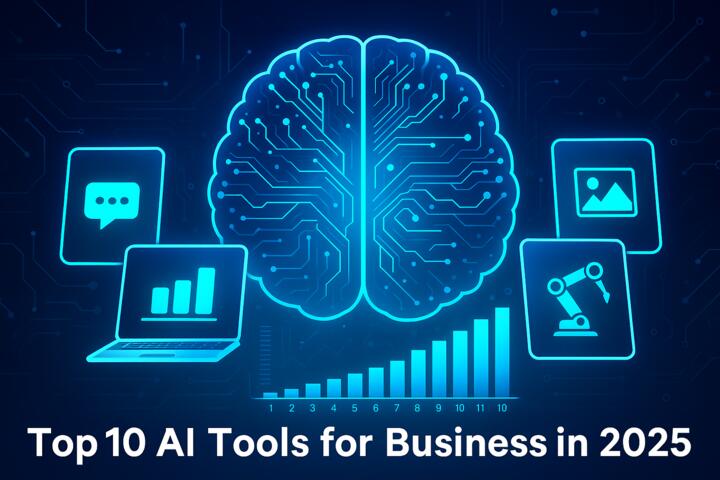
From generative AI content platforms to predictive analytics engines, these tools empower organizations to automate repetitive tasks, personalize customer experiences, and enhance productivity.
According to PwC’s Global AI Study, AI could contribute up to $15.7 trillion to the global economy by 2030, with early adopters already seeing significant gains in efficiency and profit margins.
This article explores the top 10 AI tools for business in 2025, their features, pricing, and how they can help your company stay competitive.
1. ChatGPT (OpenAI) — Best for Business Communication and Ideation
Overview:
OpenAI’s ChatGPT, powered by GPT-5 technology, has become an indispensable AI tool for business teams in 2025. It assists with communication, content creation, analysis, and even code generation.
Key Features:
-
Drafts emails, reports, and proposals in seconds.
-
Integrates with tools like Slack, Notion, and Microsoft Teams.
-
Supports data summarization and brainstorming sessions.
-
Multilingual support for global businesses.
Use Case Example:
Marketing agencies use ChatGPT to generate campaign ideas and content calendars 10x faster.
Pricing:
Free basic plan; premium tiers from $20/month per user with API integration options.
Pro Tip: Combine ChatGPT with Zapier or Notion AI for workflow automation.
2. Jasper AI — Best for Marketing and Content Strategy
Overview:
Jasper AI continues to dominate content marketing automation. Its advanced language models generate ad copy, SEO blogs, and social media posts tailored to brand tone and audience.
Key Features:
-
50+ marketing templates (emails, ads, blogs).
-
SEO mode integrated with SurferSEO.
-
Brand voice customization.
-
Collaborative dashboard for marketing teams.
Example:
Brands like Airbnb and IBM use Jasper for scalable global marketing campaigns.
Pricing:
Starting at $49/month; enterprise packages available.
Pro Tip: Use Jasper’s “Campaign Builder” to create consistent cross-platform messages in one click.
3. Microsoft 365 Copilot — Best for Corporate Productivity
Overview:
Microsoft Copilot, integrated into Word, Excel, Outlook, and Teams, has revolutionized office productivity. It acts as an intelligent assistant that learns from company data while maintaining security compliance.
Key Features:
-
Generates reports and summaries directly in Office apps.
-
Automates scheduling, task assignment, and documentation.
-
Secure integration with Microsoft Graph data.
Example:
Deloitte implemented Copilot to reduce report generation time by 40%, improving consulting productivity.
Pricing:
Included in Microsoft 365 E5 enterprise plans; add-on starts around $30/user/month.
Pro Tip: Train Copilot on your internal datasets for more accurate insights.
4. Notion AI — Best for Knowledge Management and Organization
Overview:
Notion AI combines note-taking, project management, and AI-powered writing tools. It’s ideal for startups and creative teams looking to organize and automate documentation.
Key Features:
-
Summarizes meeting notes automatically.
-
Generates project outlines and action lists.
-
AI-driven search across workspaces.
-
Integrates with Slack, Google Calendar, and Trello.
Example:
Tech companies like Figma and Zapier use Notion AI to manage cross-department knowledge bases.
Pricing:
Free with limited AI; Pro version at $10/month per user.
Pro Tip: Use “Ask AI” inside Notion to query your entire company wiki instantly.
5. Fireflies.ai — Best for Meeting Transcriptions and Summaries
Overview:
Fireflies.ai uses conversational AI to record, transcribe, and summarize meetings automatically. It integrates with major conferencing tools like Zoom, Google Meet, and Microsoft Teams.
Key Features:
-
Real-time transcription in 30+ languages.
-
AI-generated meeting summaries and action items.
-
Searchable transcript database.
-
Team collaboration on meeting notes.
Example:
HubSpot integrates Fireflies to sync meeting notes with CRM data, improving client follow-ups.
Pricing:
Free plan available; Pro tier from $10/month per seat.
Pro Tip: Connect Fireflies to your CRM to auto-log insights after every meeting.
6. Tableau AI (Salesforce) — Best for Data Analytics and Visualization
Overview:
In 2025, Tableau AI is the go-to analytics platform for real-time insights. Enhanced with Salesforce’s Einstein AI, it helps managers make data-driven decisions with predictive analytics.
Key Features:
-
Natural language queries (“Explain sales drop in Q2”).
-
Automated report generation.
-
Integration with Salesforce, AWS, and Google Cloud.
-
Predictive modeling for KPIs.
Example:
Hilton Hotels uses Tableau AI to analyze guest data and optimize pricing in real time.
Pricing:
Starting from $75/user/month.
Pro Tip: Use Tableau’s “Explain Data” feature to instantly identify performance drivers.
7. Grammarly Business — Best for Communication Clarity
Overview:
Grammarly Business remains essential for clear, professional communication. Its AI-enhanced tone detection and rewriting tools ensure brand consistency across all corporate correspondence.
Key Features:
-
Tone and style analysis.
-
Integration with Google Workspace and Slack.
-
Centralized style guide for teams.
-
Enterprise-grade security and admin controls.
Example:
Coursera uses Grammarly Business to standardize course descriptions and marketing content globally.
Pricing:
$15/month per user; enterprise plans available.
Pro Tip: Activate “Tone Goals” to align emails with brand personality (e.g., confident, empathetic, formal).
8. ClickUp AI — Best for Project Management Automation
Overview:
ClickUp AI helps teams manage workflows and automate project reporting. It combines AI task suggestions with goal tracking for enhanced productivity.
Key Features:
-
Task prioritization with smart recommendations.
-
Auto-generated reports and progress summaries.
-
Integration with Slack, GitHub, and Google Drive.
-
Customizable templates for various departments.
Example:
Startups like Canva use ClickUp AI to streamline project communication and performance metrics.
Pricing:
$7/user/month for basic AI features; $15 for advanced automation.
Pro Tip: Use ClickUp’s “AI Writer” to generate sprint retrospectives automatically.
9. Synthesia — Best for AI Video Production
Overview:
Synthesia lets businesses create professional videos using AI avatars and voice synthesis — no cameras or studios required.
Key Features:
-
140+ avatars and 120+ languages.
-
Script-to-video in minutes.
-
Custom brand templates.
-
API access for scalable video creation.
Example:
Accenture uses Synthesia to train employees with localized video content at scale.
Pricing:
Plans start at $22/month per user.
Pro Tip: Use Synthesia for onboarding videos or customer tutorials to save production costs.
10. Midjourney — Best for Creative Design and Marketing Visuals
Overview:
Midjourney leads the AI design space with hyper-realistic visuals and concept art generation. Businesses use it for branding, social campaigns, and product visualization.
Key Features:
-
Text-to-image generation.
-
Custom style presets for branding.
-
Integration with Discord and Adobe Creative Cloud.
-
High-resolution image export.
Example:
Marketing teams at Nike and Sony use Midjourney for visual prototyping before final design stages.
Pricing:
From $10/month, depending on rendering speed and resolution.
Pro Tip: Train Midjourney with your brand’s visual identity for consistent style output.
How to Choose the Right AI Tool for Your Business
Before adopting an AI tool, evaluate your business goals and workflow needs.
Checklist:
-
Define Objectives: Are you automating tasks or enhancing creativity?
-
Check Integrations: Ensure compatibility with your current tech stack.
-
Evaluate Data Privacy: Opt for tools with strong encryption and compliance (GDPR, SOC2).
-
Test Scalability: Choose platforms that can grow with your team.
-
Analyze ROI: Measure productivity improvements and cost savings after implementation.
Pro Tip: Pilot one or two tools before full-scale adoption to gauge team adaptation.
Common Mistakes Businesses Make with AI Tools
-
Adopting too many tools at once. Start small and scale.
-
Ignoring employee training. AI adoption fails without proper onboarding.
-
Underestimating data quality. Poor data yields inaccurate results.
-
Not monitoring ethical implications. Always review AI-generated outputs for bias or compliance issues.
Author’s Insight
Having helped multiple startups implement AI-driven workflows, I’ve seen firsthand how transformative these tools can be — when used correctly.
A client once adopted five different AI platforms simultaneously — productivity initially dropped. But after consolidating to ChatGPT, ClickUp AI, and Tableau, their efficiency rose by 38% in three months.
The key? Integration over quantity. The best AI tools work together, not in isolation. Start with your biggest bottleneck — whether it’s communication, analytics, or project management — and build from there.
Conclusion
The top 10 AI tools for business in 2025 prove that AI is no longer optional — it’s essential. From productivity enhancers like Microsoft Copilot to creative platforms like Midjourney, these tools empower businesses to scale smarter and faster.
As AI continues to evolve, companies that embrace automation and data-driven strategies will lead their industries. The secret isn’t adopting every tool — it’s choosing the right ones that align with your goals.
Embrace AI now — because in 2025, intelligent businesses are the ones that thrive.