Introduction: Why Automating Repetitive Tasks Is Essential Today
Businesses today face an overwhelming number of repetitive manual tasks — data entry, reporting, scheduling, customer inquiries, document management, and more. These tasks drain time and productivity, cost millions in labor hours, and slow down growth.
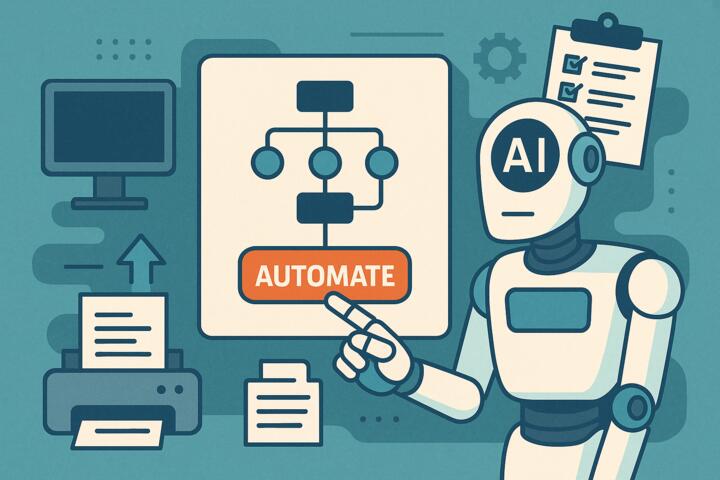
This is why many organizations are turning to artificial intelligence. Automating repetitive tasks with AI unlocks scalable efficiency, allowing teams to focus on decision-making, creativity, customer engagement, and high-value work.
The phrase “automate repetitive tasks using AI tools” has become a strategic imperative rather than a technical option. According to McKinsey’s 2024 Automation Report, companies integrating AI-powered automation boost operational performance by 25–45% and reduce administrative workload by up to 60%.
In this guide, you'll learn how to match the right AI tools to your business needs, avoid common mistakes, and build a powerful automation ecosystem that drives measurable results.
Understanding AI-Powered Automation for Business
AI-powered automation refers to using machine learning, natural language processing (NLP), and intelligent choreography to automate tasks that once required human input.
What can be automated with AI?
-
Email replies
-
Data entry and validation
-
Customer support
-
Lead scoring
-
Appointment scheduling
-
Document creation and review
-
Social media management
-
Reporting and dashboard updates
-
Invoicing and accounting tasks
AI analyzes patterns, understands context, and adapts — making automation not just faster but smarter.
Benefits of Automating Repetitive Business Tasks
1. Increased Productivity
Teams can focus on strategic, creative, or customer-facing tasks instead of admin-heavy workflows.
2. Cost Reduction
Automation reduces labor hours and minimizes errors that cost money.
3. Standardization
AI ensures processes follow consistent rules and quality standards.
4. Faster Turnaround Time
Tasks once requiring days can be completed instantly.
5. Enhanced Employee Satisfaction
Automation eliminates tedious work, reducing burnout and stress.
Harvard Business Review found that automation increases employee engagement by 20–25% when aligned with meaningful work.
Matching AI Tools to the Right Business Needs
Below are the major categories of AI automation tools and when to use them.
1. Workflow & Process Automation Tools
Best for: connecting apps, moving data, and automating multi-step sequences.
Tools
-
Zapier
-
Make (Integromat)
-
n8n
-
Microsoft Power Automate
Use Cases
-
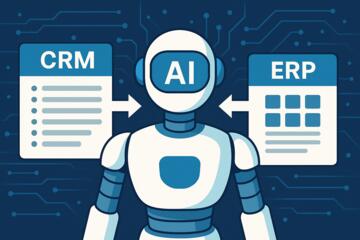
Sync leads between CRM and email systems
-
Auto-generate invoices
-
Notify teams of new tasks or updates
-
Populate spreadsheets automatically
Case Example:
Rakuten automated order tracking workflows using Zapier, saving over 200 staff hours per month.
2. AI Customer Support Tools
Best for: automating conversations, help desk requests, and FAQs.
Tools
-
Intercom Fin AI
-
Zendesk AI
-
Freshdesk Freddy AI
-
Tidio AI
Use Cases
-
Respond to FAQs instantly
-
Escalate complex issues automatically
-
Recommend personalized support articles
-
Summarize customer history for agents
Case Example:
Hilton’s AI concierge chatbot reduced response times by 40% while improving guest satisfaction.
3. AI Document Automation Tools
Best for: contracts, proposals, reports, data extraction, legal documents.
Tools
-
DocuSign CLM AI
-
LawGeex
-
Kofax
-
Adobe Acrobat AI Assistant
Use Cases
-
Automate contract drafting
-
Review and compare legal documents
-
Extract data from PDFs
-
Auto-generate reports
Case Example:
Deloitte automated contract review using AI, reducing analysis time by 70%.
4. Marketing Automation with AI
Best for: emails, social media, ad campaigns, audience segmentation.
Tools
-
HubSpot Marketing Hub
-
Jasper AI
-
Buffer AI Assistant
-
Mailchimp AI
Use Cases
-
Predict best-send time for emails
-
Auto-generate social media posts
-
Classify audience behavior
-
Create personalized ad copy
Case Example:
Shopify merchants using AI-driven email automation saw a 30% boost in conversion rates.
5. AI Assistants for Teams
Best for: writing tasks, meeting notes, reminders, scheduling, ideation.
Tools
-
ChatGPT Enterprise
-
Notion AI
-
Microsoft 365 Copilot
-
Otter.ai
Use Cases
-
Draft content in minutes
-
Summarize meetings automatically
-
Turn voice notes into action plans
-
Automate schedule coordination
Case Example:
A mid-sized IT company improved productivity by 28% after adopting Copilot for document automation.
6. Operations & Data Automation Tools
Best for: analytics, forecasting, reporting, KPI tracking.
Tools
-
Power BI + Copilot
-
Tableau AI
-
Google Looker Studio
-
Databricks AutoML
Use Cases
-
Build real-time dashboards
-
Predict business trends
-
Auto-refresh reports
-
Detect anomalies in performance indicators
How to Automate Repetitive Tasks: Step-by-Step Guide
Step 1: Identify High-Impact Repetitive Tasks
Look for tasks that are:
-
Time-consuming
-
Rule-based
-
prone to errors
-
Performed frequently
Examples:
-
Updating CRMs
-
Creating weekly reports
-
Transcribing meetings
Step 2: Map the Workflow
Document:
-
Trigger
-
Inputs
-
Outputs
-
Decision points
-
Data sources
A clear map ensures smooth automation.
Step 3: Select the Right AI Tools
Match tools based on:
-
Cost
-
Integrations
-
Ease of use
-
Automation depth
-
Team experience
Step 4: Create Automation Rules
For example:
-
If a contract is signed → send invoice
-
If a lead fills the form → add to CRM + send email
-
If sentiment drops → alert HR
Step 5: Test & Validate
Monitor:
-
Accuracy
-
Timing
-
Exceptions
-
System failures
Step 6: Train Employees
Offer team training via:
-
Coursera
-
Harvard Business School Online
-
Udemy Business
Digital literacy boosts adoption.
Step 7: Monitor and Improve Automation
Set KPIs:
-
Time saved
-
Cost reduction
-
Error rates
-
Productivity increase
Automation is iterative, not static.
Common Mistakes When Automating Repetitive Tasks
-
Automating without understanding the workflow
-
Using too many tools at once
-
Ignoring edge cases
-
Not training the team properly
-
Skipping data cleanup
-
Failing to track ROI
Real-World Automation Examples Across Industries
Healthcare
AI automates insurance claims and appointment scheduling.
Result: faster patient service, fewer administrative errors.
Retail
AI robots update inventory data and optimize supply chains.
Result: reduced stockouts and overstocking.
Finance
AI handles compliance checks and fraud detection.
Result: improved accuracy and reduced regulatory risk.
Marketing Agencies
AI schedules content, drafts emails, and automates analytics.
Result: improved campaign performance with less manual effort.
Author’s Insight
When consulting for a SaaS company struggling with administrative overload, I identified that customer onboarding involved 17 repetitive manual tasks, from data entry to sending documents. By implementing Zapier + HubSpot + Notion AI, we automated 14 of these tasks.
The result?
-
Onboarding time dropped from 2 hours to 15 minutes
-
Errors decreased by 90%
-
Customer satisfaction increased significantly
What surprised the team most was not the time saved — but how much energy and creativity they regained when freed from tedious work.
The key lesson: automation should empower people, not replace them.
Conclusion: AI-Powered Automation Is the New Competitive Edge
Automating repetitive tasks with AI tools allows businesses to scale faster, innovate more effectively, and reduce operational friction. By matching the right tools to your business needs, you can eliminate bottlenecks, save countless hours, and empower your team to focus on strategic growth.
The future of work isn’t just digital — it’s automated, intelligent, and human-centered.