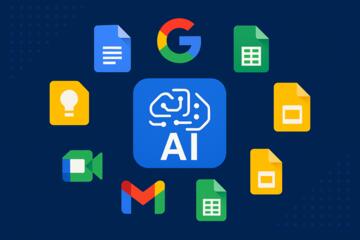
Introduction: Why AI Tools Are Replacing Traditional Office Software
AI tools that replace traditional office software are redefining how modern workplaces operate. Instead of static programs like Word, Excel, and PowerPoint, teams now rely on AI-driven platforms that write content, analyze data, build presentations, manage tasks, and automate communication—all with minimal manual input. These tools learn from user behavior, offer suggestions, and complete work that once took hours.

Companies such as Google, Microsoft, Deloitte, and academic institutions like Harvard University highlight AI productivity suites as the next major evolution in workplace efficiency. As businesses demand faster workflows and smarter automation, AI-powered software is no longer optional—it’s the new standard.
How AI Tools Replace Traditional Office Software
AI productivity platforms outperform legacy office software by offering:
-
Automated content creation
-
Real-time data processing
-
Predictive analytics
-
Intelligent formatting
-
Voice and image recognition
-
Workflow automation
Instead of creating documents manually, employees can instruct AI tools to generate, revise, and adapt them instantly.
AI Alternatives to Word Processing Tools
1. AI Tools That Replace Microsoft Word
Best AI Replacements
-
ChatGPT (OpenAI) – Writes reports, contracts, emails, summaries
-
Notion AI – Creates documents, meeting notes, project outlines
-
Google Docs + Duet AI – Suggests edits, writes drafts, improves clarity
-
Jasper – Ideal for marketing content and long-form writing
Why They Are Better
-
Generate full drafts instantly
-
Improve grammar, tone, and structure
-
Auto-organize long documents
-
Provide research-style summaries
-
Offer templates without manual formatting
Use Cases
-
Legal document drafts
-
Policies and SOPs
-
HR materials
-
Blog posts and SEO content
-
Client emails and internal communication
AI Tools That Replace Excel and Spreadsheet Software
2. AI Replacements for Microsoft Excel
Best AI Spreadsheet Alternatives
-
AITable / Rows – Build and query spreadsheets using natural language
-
Akkio – Predictive analytics without complex formulas
-
Google Sheets + Duet AI – Auto-build charts, formulas, and summaries
-
Numerous.ai – AI formula and analysis assistant for spreadsheets
How AI Enhances Data Work
-
Creates formulas from plain English
-
Cleans and organizes data automatically
-
Builds dashboards without manual design
-
Predicts trends and generates insights
Example
Harvard Business Review reports that AI-driven spreadsheet tools can improve analytical accuracy by 20–40% while significantly reducing manual effort.
AI Tools That Replace PowerPoint and Presentation Software
3. AI Replacements for Microsoft PowerPoint
Best AI Presentation Tools
-
Gamma – Builds slide decks from simple prompts
-
Beautiful.ai – Auto-formats professional slide layouts
-
Tome AI – Creates visual narratives and product pitches
-
Canva AI – Generates slide designs, visuals, and talking points
Why They Are Better
-
Automatic layout and formatting
-
AI-driven visual consistency and branding
-
Instant slide generation from bullet points or a brief
-
Built-in graphics, icons, and visual storytelling tools
Use Cases
-
Board and executive presentations
-
Marketing and sales pitches
-
Internal training materials
-
Investor and fundraising decks
AI Tools That Replace Email & Communication Software
4. AI Replacements for Outlook and Gmail Productivity Features
Top AI Communication Tools
-
Superhuman AI – Writes and summarizes emails
-
Canary Mail – AI sorting and smart priority inbox
-
Hiver – AI-powered customer support inside Gmail
-
ChatGPT Email Assistant – Drafts replies, summaries, and follow-ups
AI Email Capabilities
-
Write responses in seconds
-
Summarize long threads
-
Highlight urgent vs. non-urgent messages
-
Suggest tone and clarity improvements
-
Automate reminders and follow-ups
Impact
Companies report up to 38% time savings when using AI to automate email review and drafting.
AI Tools That Replace Project Management Platforms
5. AI Project & Workflow Tools
Best AI Project Management Replacements
-
Notion AI – Task management, documents, and knowledge in one space
-
ClickUp AI – Auto-generates task lists, workflows, and reports
-
Monday.com AI – Predicts delays and assigns tasks automatically
-
Motion – AI scheduling, time-blocking, and calendar optimization
AI Advantages
-
Predicts project risks and bottlenecks
-
Automatically prioritizes tasks
-
Generates project reports and summaries instantly
-
Reduces meetings and manual coordination efforts
AI Tools That Replace Note-Taking and Knowledge Management Apps
6. AI for Notes and Knowledge Storage
Top AI Replacements
-
Notion AI – Turns notes into reports, SOPs, summaries, and action lists
-
Mem AI – Builds an automated, searchable knowledge graph
-
Obsidian + AI plugins – Semantic search and content generation on top of personal knowledge bases
-
Roam Research AI – Connects ideas and surfaces related concepts automatically
Capabilities
-
Instant summarization of meetings and documents
-
Automatic linking of related notes and topics
-
Meeting transcription and action-item extraction
-
Converting raw notes into polished documents
AI Tools That Replace Graphics and Design Software
7. AI Graphic Tools
Best AI Replacements for Canva / Adobe Tools
-
Canva AI – Auto-designs social media posts, slides, and marketing assets
-
Adobe Firefly – Generates images, textures, and branded patterns
-
Midjourney – High-quality illustrations and concept art
-
DALL·E – Creates unique visual assets for branding and presentations
Why They Matter
These AI tools eliminate the need for:
-
Advanced Photoshop or Illustrator skills
-
Manual layout and resizing work
-
Endless stock image searches
Marketers and non-designers can produce professional graphics in minutes.
AI Tools That Replace File Management and Knowledge Search
8. AI Assistants for Search & Document Retrieval
Top Tools
-
Glean – Enterprise AI search across apps and documents
-
Microsoft Copilot for 365 – Searches across files, emails, chats, and Teams
-
Perplexity AI – Research assistant for teams with citations and sources
Benefits
-
Finds files and messages instantly
-
Summarizes long documents and threads
-
Answers questions using internal knowledge and external sources
Practical Steps to Transition from Traditional Software to AI Tools
Step 1: Identify High-Impact Tasks
Start with functions that consume the most time:
-
Writing and editing
-
Data analysis and reporting
-
Presentations
-
Task and project management
Step 2: Choose AI Tools That Integrate With Current Systems
Prioritize tools that connect to:
-
Google Workspace
-
Microsoft 365
-
Slack / Teams
-
CRM and project platforms
This minimizes workflow disruption.
Step 3: Train Employees on AI Prompting
Most AI tools depend on clear, structured instructions. Teach teams how to:
-
Provide context and goals
-
Specify tone and format
-
Request multiple options or versions
-
Edit and review AI-generated content
Step 4: Create Automation Templates
Build reusable templates for:
-
Emails and responses
-
Reports and summaries
-
Spreadsheet analysis workflows
-
Presentation outlines and slide structures
This standardizes quality and speeds up adoption.
Step 5: Monitor Usage & ROI
Track:
-
Hours saved per team per month
-
Reduction in manual tasks
-
Impact on error rates and revision cycles
-
Overall productivity improvements
Common Mistakes When Switching to AI Office Tools
Mistake 1: Expecting AI to Replace All Human Judgment
AI enhances work—it doesn’t eliminate the need for strategic thinking and leadership.
Mistake 2: Not Training Employees
AI adoption fails without proper onboarding, playbooks, and examples.
Mistake 3: Using Too Many Tools at Once
Start with a small, integrated stack to avoid confusion and tool fatigue.
Mistake 4: Ignoring Data Security
Choose tools with SOC 2, ISO 27001, and GDPR compliance, and configure privacy settings correctly.
Benefits of Using AI Instead of Traditional Office Software
-
Faster workflows and turnaround times
-
Higher accuracy and fewer manual errors
-
Less repetitive, low-value work
-
Improved cross-team collaboration
-
Better document organization and search
-
Predictive insights instead of static reports
-
More creativity and innovation
-
Potentially lower overall software and labor costs
Author’s Insight
After helping several teams adopt AI office tools, I’ve seen the same transformation every time: employees shift from creating everything manually to reviewing and improving AI-generated work. This reduces frustration, accelerates output, and dramatically increases creativity.
One team reduced presentation prep time by 70% after switching from PowerPoint to Gamma and Canva AI. Another replaced manual Excel reporting with predictive analytics tools like Akkio, saving dozens of hours each month. AI doesn't just make office software better—it redefines what productivity means altogether.
Conclusion
AI tools that replace traditional office software are transforming how organizations write, analyze, design, communicate, and collaborate. From document creation to advanced analytics and presentation design, AI-powered platforms offer speed, intelligence, and automation far beyond what legacy tools can deliver.
As businesses embrace the future of work, adopting AI productivity tools is no longer optional—it’s the key to staying competitive, agile, and efficient.