Introduction: Why Your Office Needs an AI Assistant
The modern workplace runs on speed, precision, and collaboration — and that’s exactly where AI assistants shine. Whether it’s managing emails, scheduling meetings, or summarizing long documents, AI tools can handle tasks that once drained hours of human time.
But with hundreds of options available — from Google Assistant to ChatGPT, Notion AI, and Microsoft Copilot — how do you decide which one actually fits your team’s needs?
Choosing the right AI assistant for your office isn’t just about convenience; it’s about productivity, data security, and ROI. This guide walks you through how to evaluate and select the perfect AI partner for your business.
Understanding What an AI Assistant Can Do
Before comparing tools, it’s essential to know how AI assistants work and what they can do for your office.
An AI assistant uses machine learning (ML) and natural language processing (NLP) to perform administrative, analytical, and communication-related tasks. These assistants can:
-
Schedule meetings, manage calendars, and send reminders.
-
Generate reports or draft documents.
-
Answer emails or customer inquiries.
-
Transcribe meetings and summarize notes.
-
Analyze data and provide actionable insights.
-
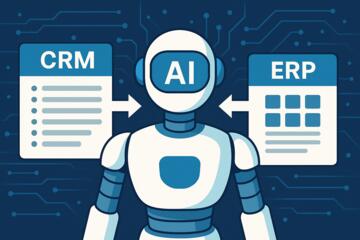
Integrate with CRMs, project management, or HR platforms.
For instance, Microsoft Copilot integrates directly into Office 365 tools like Excel, Outlook, and Word, while Notion AI helps teams brainstorm and document workflows faster. The key is identifying which type of functionality aligns with your team’s everyday work.
Benefits of Using an AI Assistant in the Office
When implemented strategically, AI assistants bring tangible results across departments.
1. Increased Productivity
AI assistants automate repetitive tasks, freeing employees to focus on strategy and creative problem-solving. A McKinsey study (2024) found that companies using AI tools saw up to 40% productivity growth in administrative roles.
2. Better Collaboration
AI tools like Slack GPT or Google Workspace Duet AI enhance communication by summarizing threads, suggesting meeting notes, or translating messages in real time.
3. Reduced Human Error
AI minimizes mistakes in scheduling, document management, and calculations, providing a more reliable workflow system.
4. Cost Efficiency
With AI automating time-consuming processes, businesses reduce reliance on outsourced administrative support, saving operational costs.
5. Enhanced Decision-Making
AI assistants can analyze business data to identify patterns and suggest improvements — effectively turning every employee into a data-informed decision-maker.
Key Features to Look for When Choosing an AI Assistant
Not all AI assistants are built equally. Before choosing one, evaluate these essential features:
1. Integration Capabilities
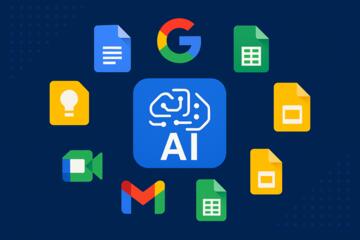
Your AI assistant should seamlessly connect with the tools you already use — like Slack, Zoom, Google Workspace, Notion, or Salesforce. Poor integration creates silos and defeats the purpose of automation.
2. Natural Language Understanding
The AI should understand context, tone, and intent — not just keywords. Tools powered by GPT-4 or Claude 3 handle natural conversations better than rule-based systems.
3. Data Security and Compliance
Choose an AI vendor with strong security practices — SOC 2, ISO 27001, or GDPR compliance — to protect confidential company data.
4. Customization Options
The best AI assistants let you tailor responses, workflows, and commands based on your company’s processes. Enterprise-grade tools like IBM watsonx Assistant and Cortical.io offer high flexibility.
5. Multi-User Collaboration
Look for assistants that support team-level access, permissions, and shared workspaces.
6. Scalability
Ensure the platform can grow with your business — from a small startup to a global enterprise.
Top AI Assistants for Office Productivity in 2025
Here’s a quick comparison of the most popular AI assistants trusted by organizations worldwide:
| AI Assistant | Best For | Key Features | Notable Users |
|---|---|---|---|
| Microsoft Copilot | Enterprise teams using Microsoft 365 | Deep integration with Office tools, advanced summarization | Deloitte, PwC |
| Google Assistant (Duet AI) | Teams using Google Workspace | Smart scheduling, Docs and Sheets assistance | Shopify, Coursera |
| Notion AI | Documentation and creative teams | Text generation, summarization, brainstorming | Figma, Zapier |
| ChatGPT for Teams | Flexible, multi-purpose assistant | Custom GPTs, secure workspace, integrations | Stripe, Canva |
| Otter.ai | Meeting-heavy organizations | Real-time transcription and summaries | Zoom, Rakuten |
| Slack GPT | Communication-driven teams | Message summarization, workflow automation | Salesforce, HubSpot |
Step-by-Step Guide: How to Choose the Right AI Assistant for Your Office
Step 1: Define Your Office Needs
Ask:
-
Which tasks take up the most time?
-
Do you need help with writing, scheduling, analytics, or customer support?
-
Are there pain points in collaboration or document management?
Start by listing 5–7 use cases your AI assistant should handle.
Step 2: Assess Your Current Tech Stack
Check which platforms your company already uses — Google Workspace, Microsoft 365, Slack, Trello, etc. Choose an AI assistant that integrates natively with them to avoid friction.
Step 3: Set a Budget
AI assistants can range from $10/month per user (Notion AI) to $50–100/month (enterprise Copilot or custom GPTs). Factor in ROI — will the time saved justify the investment?
Step 4: Evaluate Security and Privacy Policies
Ensure the vendor meets compliance standards. For example, ChatGPT Team encrypts all data and doesn’t use your inputs for training, which is critical for corporate confidentiality.
Step 5: Test Before You Commit
Use free trials or pilot programs. Have a small group of employees test different tools for a few weeks. Gather feedback on usability, accuracy, and workflow improvement.
Step 6: Measure Impact
Track metrics like time saved, employee satisfaction, and task completion rates. This data will help you choose and optimize the right AI assistant long-term.
Common Mistakes When Choosing an AI Assistant
-
Ignoring Employee Training
Even the best AI tools fail if employees don’t understand how to use them effectively. -
Over-Automating Processes
AI should complement human judgment — not replace it. Avoid automating decisions that require empathy or ethical reasoning. -
Neglecting Integration Testing
A tool that doesn’t connect with your CRM or project system can create extra work instead of saving time. -
Choosing Based on Popularity Alone
Just because a tool is trending doesn’t mean it fits your workflow. Align your choice with specific goals. -
Failing to Update Workflows
Once you introduce AI, review and redesign your office workflows for maximum efficiency.
Security and Ethical Considerations
As powerful as AI assistants are, they also introduce risks if not managed properly. Protect your office by:
-
Limiting access to sensitive data.
-
Enforcing role-based permissions.
-
Monitoring AI outputs for bias or inaccuracies.
-
Choosing vendors that clearly state data usage policies.
For instance, IBM Watson and Anthropic’s Claude both emphasize ethical AI use with transparent privacy frameworks.
Author’s Insight
After advising several startups on digital transformation, I’ve seen that choosing the right AI assistant is as much about culture as it is about technology.
One client implemented Notion AI for content management but failed to train staff properly. The result? Confusion and wasted subscription fees. Another firm adopted Microsoft Copilot with strong onboarding and saw productivity rise by 35% in two months.
The difference was clear: AI success depends on alignment — between tool, team, and training. Start small, learn fast, and scale intentionally.
Conclusion: The Smart Office Starts with the Right AI Assistant
Choosing the right AI assistant for your office can revolutionize how your team collaborates, communicates, and creates value. The key is to match the tool to your goals — balancing automation, security, and usability.
Start by identifying your pain points, test multiple options, and ensure employees are trained to use AI effectively. With the right assistant, your office won’t just work faster — it’ll work smarter.
The future of work is intelligent. Make sure your office is, too.